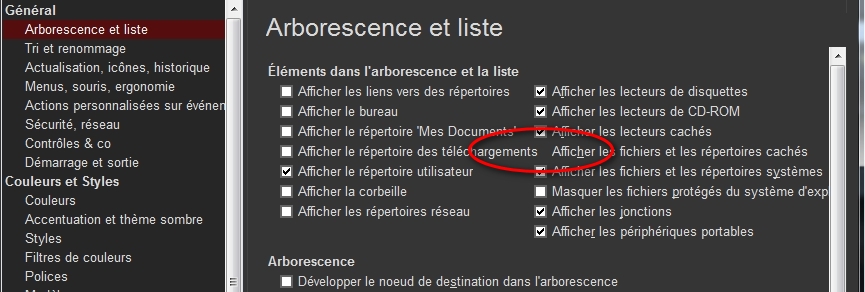
admin wrote: ↑28 Dec 2021 10:32
What are your font settings (Configuration | Colors and Styles | Fonts | Buttons and Labels)?
Was Arial Normal 10 (9,75), I change for Arial Normal 9, now the checkbox is half visible and accessible.
admin wrote: ↑28 Dec 2021 10:32
I try to do without a scrollbar if at all possible.
My screen resolution is 1280x768, and there is only 8 configuration windows whitout a scrollbar, Custum Event Action and Custum Columns have a big scrollbar.
So the solution would be to momentarily change the font size to access the configuration settings ?
And the reason is only because that you try to do without a scrollbar if at all possible ?

Tree and List is the only setting window with two columns, can't you make an exception and put it in one column ?
For the comfort of reading for the eyes, if I set Arial Normal 12, many parameter windows become invisible on the right because the window is not resizable, and there is no horizontal scroll bar either


And what is the use of being able to choose Arial Normal 72 ?


This area of XYplorer is currently unsuitable, even for frequent visits.
I am waiting to hear what solution you will choose to fix this problem.
 XYplorer Beta Club

 Please include the following information: