 XYplorer Beta Club
version 20.90.0300 crashes
Forum rules
 READ THIS AND DO IT!!!
 Please include the following information:
1) Your XYplorer Version (e.g., v28.00.0801)
2) Your Windows Version (e.g., Win 11)
3) Your Screen Scaling Percentage (e.g., 125%).
We strongly recommend adding your Windows Version and Screen Scaling Percentage to the Location field in your Profile or to your Signature. That way, you only have to type them once, and we won't have to search for that vital information.
When attaching an Image, please use the Attachment tab at the bottom of your post and click "Add files".
READ THIS AND DO IT!!!
READ THIS AND DO IT!!! Please include the following information:1) Your XYplorer Version (e.g., v28.00.0801)
2) Your Windows Version (e.g., Win 11)
3) Your Screen Scaling Percentage (e.g., 125%).
We strongly recommend adding your Windows Version and Screen Scaling Percentage to the Location field in your Profile or to your Signature. That way, you only have to type them once, and we won't have to search for that vital information. When attaching an Image, please use the Attachment tab at the bottom of your post and click "Add files". READ THIS AND DO IT!!!
-
highend
- Posts: 15006
- Joined: 06 Feb 2011 00:33
- Location: Win Server 2022 @100%
Re: version 20.90.0300 crashes
Did the "Startup.ini" file exist and only the path in it was wrong or did it not exist at all?
One of my scripts helped you out? Please donate via Paypal
-
KLASS
- Posts: 220
- Joined: 06 Dec 2014 12:28
Re: version 20.90.0300 crashes
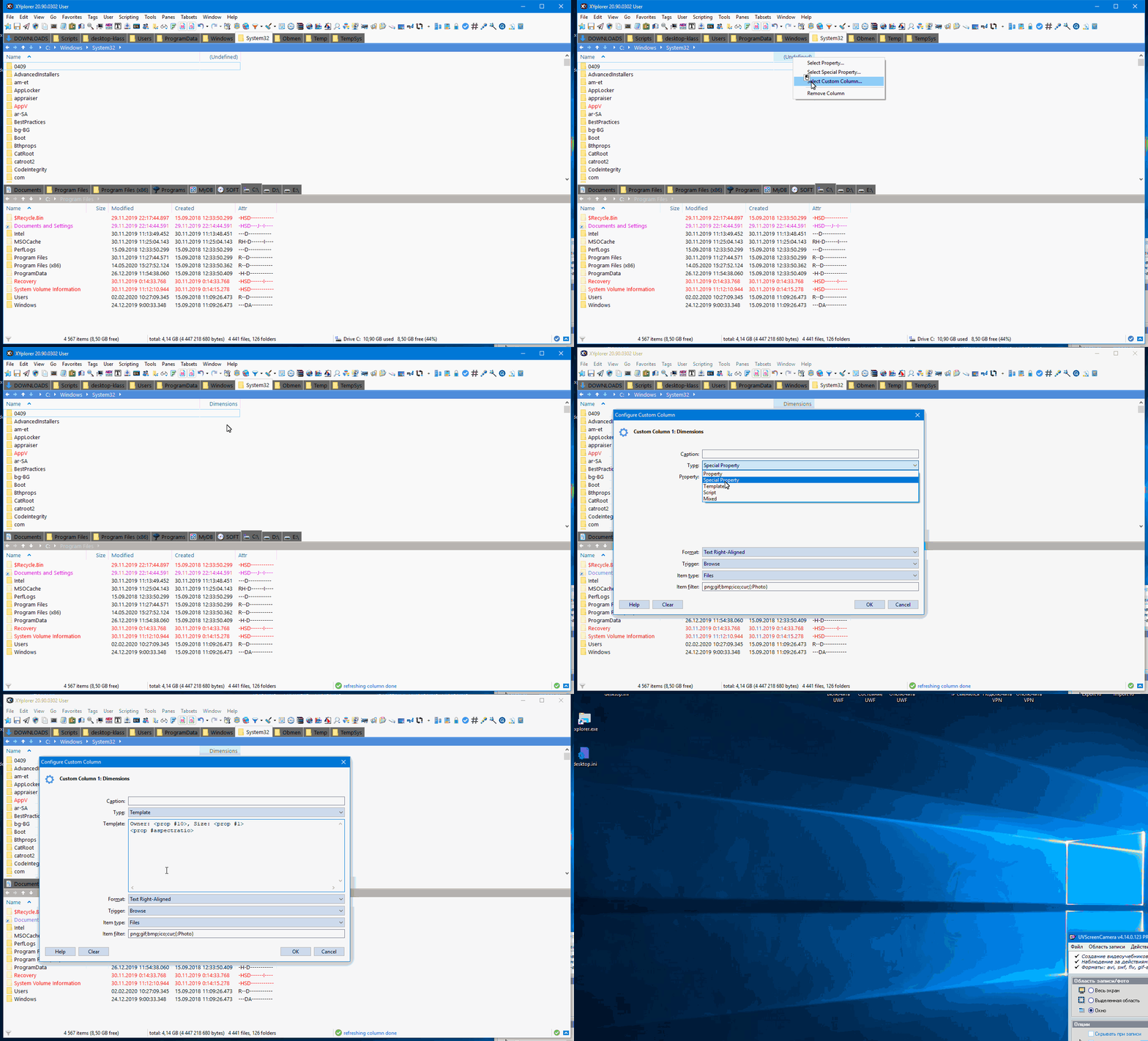
Crashes XYplorer 20.90.0302
Windows 10 Version 21H2
Screen Scaling Percentage 100%
Screen Scaling Percentage 100%
-
admin
- Site Admin
- Posts: 66872
- Joined: 22 May 2004 16:48
- Location: Win8.1, Win10, Win11, all @100%
- Contact:
-
KLASS
- Posts: 220
- Joined: 06 Dec 2014 12:28
Re: version 20.90.0300 crashes
No, I just insert a template or script when setting up a soft-column.
The soft-column itself can be in an empty folder.
The soft-column itself can be in an empty folder.
Windows 10 Version 21H2
Screen Scaling Percentage 100%
Screen Scaling Percentage 100%
-
admin
- Site Admin
- Posts: 66872
- Joined: 22 May 2004 16:48
- Location: Win8.1, Win10, Win11, all @100%
- Contact:
Re: version 20.90.0300 crashes
Cannot reproduce.
Does this also happen in a fresh installation?
Does this also happen in a fresh installation?
FAQ | XY News RSS | XY X
-
KLASS
- Posts: 220
- Joined: 06 Dec 2014 12:28
Re: version 20.90.0300 crashes
No. Some problems in DATA.
Only here are which

Windows 10 Version 21H2
Screen Scaling Percentage 100%
Screen Scaling Percentage 100%
-
admin
- Site Admin
- Posts: 66872
- Joined: 22 May 2004 16:48
- Location: Win8.1, Win10, Win11, all @100%
- Contact:
-
KLASS
- Posts: 220
- Joined: 06 Dec 2014 12:28
Re: version 20.90.0300 crashes
Some problems in MY data, because everything is fine in the new installation.
Windows 10 Version 21H2
Screen Scaling Percentage 100%
Screen Scaling Percentage 100%
-
admin
- Site Admin
- Posts: 66872
- Joined: 22 May 2004 16:48
- Location: Win8.1, Win10, Win11, all @100%
- Contact:
Re: version 20.90.0300 crashes
Well, the app should NEVER crash, no matter what your data look like. So, can you reproduce the crash with your data? If yes, please let me see those problem data.
FAQ | XY News RSS | XY X
-
admin
- Site Admin
- Posts: 66872
- Joined: 22 May 2004 16:48
- Location: Win8.1, Win10, Win11, all @100%
- Contact:
Re: version 20.90.0300 crashes
Thanks for your data, but I could not reproduce the crash.
FAQ | XY News RSS | XY X
-
KLASS
- Posts: 220
- Joined: 06 Dec 2014 12:28
Re: version 20.90.0300 crashes

Windows 10 Version 21H2
Screen Scaling Percentage 100%
Screen Scaling Percentage 100%
-
KLASS
- Posts: 220
- Joined: 06 Dec 2014 12:28
Re: version 20.90.0300 crashes
Re-created the tab sets.
Updated Session Manager.
Saved the session.
Now XYplorer doesn't crash and works with Session Manager.
Sorry for the bad English.
Updated Session Manager.
Saved the session.
Now XYplorer doesn't crash and works with Session Manager.
Sorry for the bad English.
Windows 10 Version 21H2
Screen Scaling Percentage 100%
Screen Scaling Percentage 100%