Page 1 of 1
Copy Path not present in context menu
Posted: 09 Apr 2026 21:54
by jFrankParnell
I am able to ctrl - p to get the path of the selected item but I thought there used to be context menu items for copy path, copy containing path, that type of thing? At any rate, I dont have any 'copy path' in my context menu even though i have apparantly made the right settings.
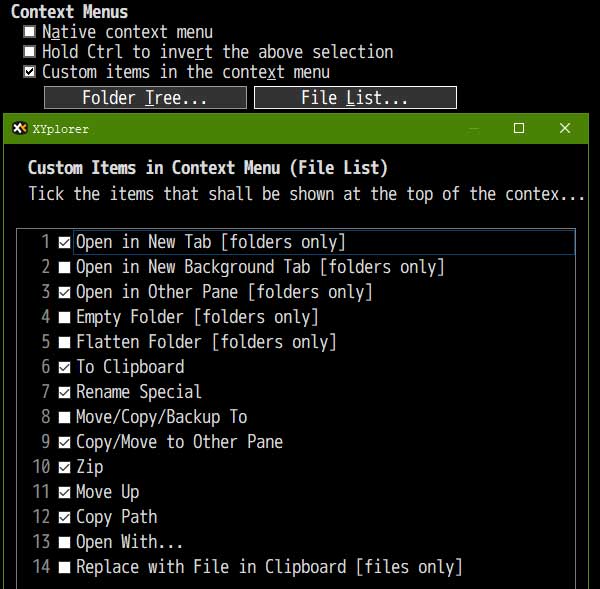
Re: Copy Path not present in context menu
Posted: 09 Apr 2026 21:57
by highend
XY version?
Screenshot of the context menu you get?
Re: Copy Path not present in context menu
Posted: 09 Apr 2026 22:05
by jFrankParnell
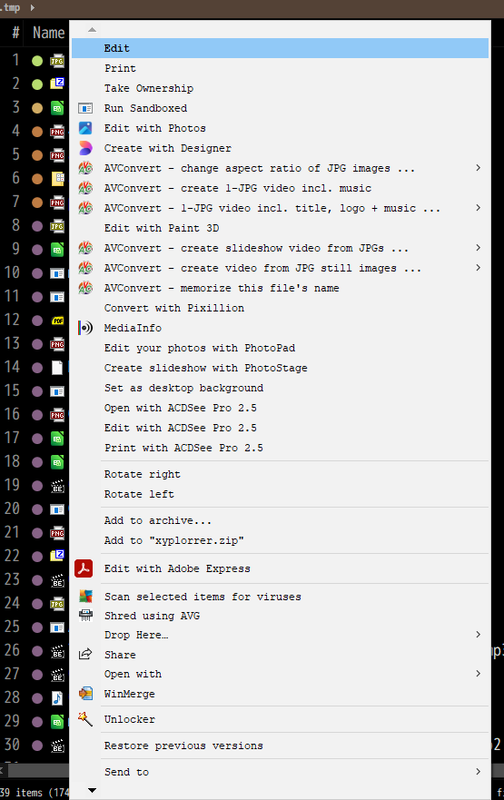
there's a few more, under the arrow, but theyre not copy path
Re: Copy Path not present in context menu
Posted: 09 Apr 2026 22:20
by Native2904
You need to enable the XYplorer context menu; you are currently seeing the Windows context menu.
Re: Copy Path not present in context menu
Posted: 09 Apr 2026 22:37
by jFrankParnell
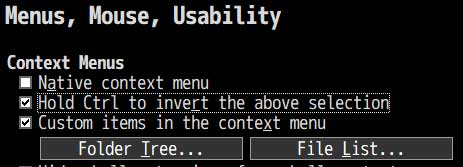
Ok.
So 'native' is xyplorer's contextmenu, I thought that was Windows native. Now that i have invert turnt on, I can get the xyplorer options when i ctrl right click.