 XYplorer Beta Club
Custom sort
-
surrender
- Posts: 623
- Joined: 23 Oct 2005 08:53
- Location: Berlin, Germany
Custom sort
Sometimes before batch renaming, i want to sort files my own way (which doesnt fit any logic or sort styles). Can I drag and arrange files like i want and then batch rename?? For Eg: i want 0001-0025 to be placed in between 001-025 and 01-25 and then rename.
Last edited by surrender on 09 Dec 2006 13:44, edited 1 time in total.
-
David.P
- Posts: 72
- Joined: 09 Dec 2006 11:21
Re: Custom sort
I wonder which file manager on this planet will be first to have that revolutionary feature...surrender wrote:Can I drag and arrange files like i want?
See also the discussion here.
-
admin
- Site Admin
- Posts: 66496
- Joined: 22 May 2004 16:48
- Location: Win8.1, Win10, Win11, all @100%
- Contact:
Re: Custom sort
XYplorer! Once we have Drop Stack.David.P wrote:I wonder which file manager on this planet will be first to have that revolutionary feature...surrender wrote:Can I drag and arrange files like i want?
For what exactly do you need it?
And do you expect it to be retained between sessions?
-
David.P
- Posts: 72
- Joined: 09 Dec 2006 11:21
Re: Custom sort
Have a look at the discussion @Dopus linked above.admin wrote:For what exactly do you need it?
I'd really very much like to have a custom sort order of my files -- to be able to better organize my project folders. Read more at the Dopus discussion.
Sure! Have a look at FastStone ImageViewer, where the custom sort order is retained by a simple hidden text file "fssort.ini" inside the respective folder, containing for example the following:admin wrote:And do you expect it to be retained between sessions?
fssort.ini:
----------------------
SANY6524.png
Rico 4.png
Rico 6.jpg
Rico 2.jpg
Rico 5.jpg
SANY5420.jpg
Rico 3.jpg
----------------------
David.P
-
admin
- Site Admin
- Posts: 66496
- Joined: 22 May 2004 16:48
- Location: Win8.1, Win10, Win11, all @100%
- Contact:
Re: Custom sort
Ever tried XY's "Catalog"? It's made exactly for this and it has custom sort built in already!David.P wrote:Have a look at the discussion @Dopus linked above.admin wrote:For what exactly do you need it?
I'd really very much like to have a custom sort order of my files -- to be able to better organize my project folders.
-
David.P
- Posts: 72
- Joined: 09 Dec 2006 11:21
Re: Custom sort
Well I have like some hundred projects/cases and each has its own windows folder. Having to create a separate Catalog for each project/folder probably would turn out to be too time-consuming.admin wrote:Ever tried XY's "Catalog"? It's made exactly for this and it has custom sort built in already!
David.P
-
admin
- Site Admin
- Posts: 66496
- Joined: 22 May 2004 16:48
- Location: Win8.1, Win10, Win11, all @100%
- Contact:
Re: Custom sort
Leaving hidden text files in local folders is not compatible with XY's portable nature. But there would be other solutions... that's no big problem.David.P wrote:Sure! Have a look at FastStone ImageViewer, where the custom sort order is retained by a simple hidden text file "fssort.ini" inside the respective folder...admin wrote:And do you expect it to be retained between sessions?
Custom sort will come anyway along with Drop Stacks...
-
admin
- Site Admin
- Posts: 66496
- Joined: 22 May 2004 16:48
- Location: Win8.1, Win10, Win11, all @100%
- Contact:
Re: Custom sort
Depends. If you custom-sort by drag'n'drop then it would mean just one more drag'n'drop to create the category. (That is, after I have added creating categories by drag'n'drop...David.P wrote:Well I have like some hundred projects/cases and each has its own windows folder. Having to create a separate Catalog for each project/folder probably would turn out to be too time-consuming.admin wrote:Ever tried XY's "Catalog"? It's made exactly for this and it has custom sort built in already!
 )
)-
David.P
- Posts: 72
- Joined: 09 Dec 2006 11:21
Re: Custom sort
Umm, why is this? File sort order is a property of the respective folder, not a preference or something of the file manager.admin wrote:Leaving hidden text files in local folders is not compatible with XY's portable nature.
This sounds GREAT!admin wrote:Custom sort will come anyway along with Drop Stacks...
David.P
-
David.P
- Posts: 72
- Joined: 09 Dec 2006 11:21
PS:
... that feature surely could make me move from DOpus -- if only a few other indispensable features could be transplanted
especially
- the "find as you type instant file filter box";
- thumbnails for almost any file type (of course including PDF, if Adobe Reader is installed); and
- possibility for preview pane placement on second monitor!
Cheers,
David.P
Here's my current file manager layout: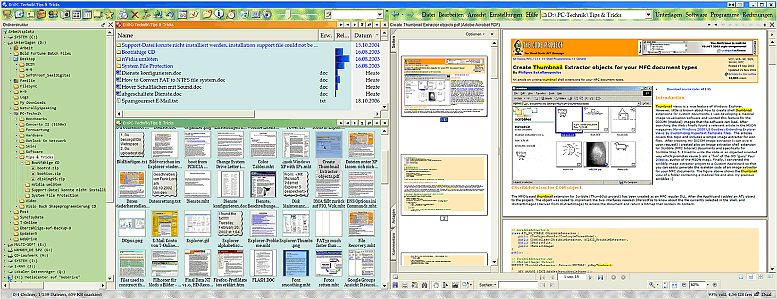
(click to enlarge;)
... that feature surely could make me move from DOpus -- if only a few other indispensable features could be transplanted
especially
- the "find as you type instant file filter box";
- thumbnails for almost any file type (of course including PDF, if Adobe Reader is installed); and
- possibility for preview pane placement on second monitor!
Cheers,
David.P
Here's my current file manager layout:
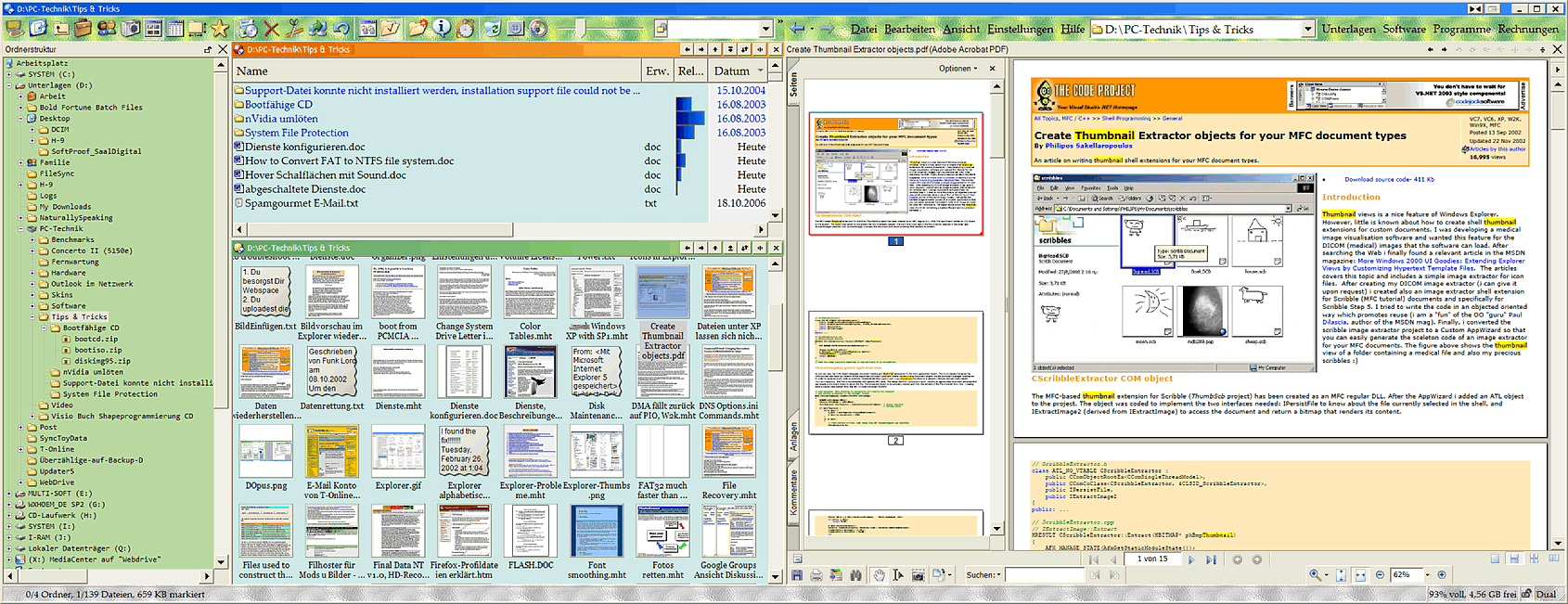
(click to enlarge;)
-
admin
- Site Admin
- Posts: 66496
- Joined: 22 May 2004 16:48
- Location: Win8.1, Win10, Win11, all @100%
- Contact:
Well well...David.P wrote:... if only a few other indispensable features could be transplanted
 The good old tune. Do you know the second verse of the song? It goes like this: "if you buy a license then I will add a few indispensable features..."
 Just kidding. Tell me about the "find as you type instant file filter box" (I don't have DOpus, too expensive!
). You know, XY has "find as you type" without the box, just type into the file list and you will find... So, what's so great about the box?-
lukescammell
- Posts: 744
- Joined: 28 Jul 2006 13:15
- Location: Kent, UK
- Contact:
I like the "Find as you type filter box (kinda like a progressive VF...) and even the option for preview on another monitor...
...but imo, MAN that is one ugly looking setup you've got there!
...but imo, MAN that is one ugly looking setup you've got there!
Used to update to the latest beta every day. Now I have children instead…
Windows 10 Pro x64 (everywhere except phone…)
Windows 10 Pro x64 (everywhere except phone…)
-
David.P
- Posts: 72
- Joined: 09 Dec 2006 11:21
Haha! As long as it is not as ugly as Tot*l Command*r, I'm perfectly happy with it...lukescammell wrote:...but imo, MAN that is one ugly looking setup you've got there!

Well I'm more than happy to buy a license for a program that has the features that help me saving time and money with my everyday workadmin wrote:if you buy a license then I will add a few indispensable features...

It's the box in the middle at the top of my screenshot. Being a feature that actually was suggested by someone called David.P *gg*, the box instantly filters the current file list, showing only the files (and/or folders) that contain the expression typed in the box, anywhere in the file name. You don't need asterisks or something, you just type what you think the filename might contain, and there you are with only the files / folders having the respective letters inside their name!admin wrote:Tell me about the "find as you type instant file filter box"
I use this feature about like one million times a day, it's become absolutely indispensable for me
.Cheers,
David.P
-
admin
- Site Admin
- Posts: 66496
- Joined: 22 May 2004 16:48
- Location: Win8.1, Win10, Win11, all @100%
- Contact:
Yeah, that sounds like quite indispensable.David.P wrote:I use this feature about like one million times a day, it's become absolutely indispensable for me
XY's "Visual Filter" is in fact a file find under the hood: the data are filtered at browsing time rather than at showing time. This would be too slow for a "Find as you type filter box". So I would have to rewrite my VF for this... (should have done it the right way in the first place
 ). I'll insert that into the roadmap...
-
JustinF
- Posts: 358
- Joined: 28 Jun 2005 23:47
- Location: Omaha, Nebraska, USA
I second both of these requests...more the second monitor feature.lukescammell wrote:I like the "Find as you type filter box (kinda like a progressive VF...) and even the option for preview on another monitor...
I also second that!lukescammell wrote:...but imo, MAN that is one ugly looking setup you've got there!

Justin
Windows 7 Professional
Windows 7 Professional