Error opening with everything.exe app
Posted: 24 Nov 2024 19:17
I am trying to add a custom button to open the <curname> or <curpath> from everything.exe app using the below script.
it is throwing below error but it works when right click and open the everything.exe app from right click menu.
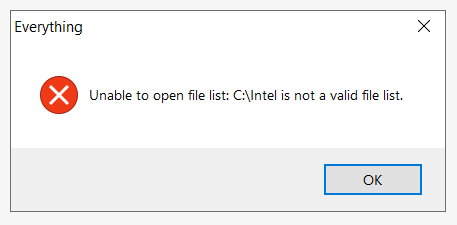
But, it is working completely fine with vscode with no errors and as required.
Code: Select all
 $app = "C:\Program Files\Everything\Everything.exe";

 $target = "";
 if ("<curname>" == "") {
   $target = "<curpath>";
 } else {
   $target = "<curname>";
 }

 run """$app"" ""$target""";
But, it is working completely fine with vscode with no errors and as required.
Code: Select all
 $app = "%USERPROFILE%\AppData\Local\Programs\Microsoft VS Code\Code.exe";

 $target = "";
 if ("<curname>" == "") {
   $target = "<curpath>";
 } else {
   $target = "<curname>";
 }

 run """$app"" ""$target""";