Page 1 of 1
"Runtime error 91" when launching the program
Posted: 08 Oct 2024 10:52
by OIV88
Hello!
When the program starts, the "runtime error 91 object variable or block variable not set" flew out, began in the latest versions.
The program sometimes starts without an error, but it loads and appears for a very long time - about a minute exactly.
What can this be about, how to fix the error?
Win10, XY 26.50
Re: "Runtime error 91" when launching the program
Posted: 08 Oct 2024 11:03
by admin
1) Can you show a screenshot of the error message?
2) Can you mail XYplorer.ini to support [at] xyplorer.com?
Re: "Runtime error 91" when launching the program
Posted: 08 Oct 2024 11:26
by OIV88
Screenshot of the error -
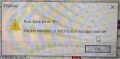
Please tell me how can I send xyplorer.ini to support? At what address?
Re: "Runtime error 91" when launching the program
Posted: 08 Oct 2024 11:33
by admin
support [at] xyplorer.com
Re: "Runtime error 91" when launching the program
Posted: 08 Oct 2024 11:40
by OIV88
Sent to this email
Re: "Runtime error 91" when launching the program
Posted: 08 Oct 2024 11:53
by admin
Got it, thanks.
1) To avoid long startup times due to unavailable network locations I suggest you check this box: Configuration | General | Startup & Exit | No network browsing at startup
2) Paste this script into the XY address bar and press ENTER: screen;. Copy the contents of the returned dialog box and show them here in the thread.
Re: "Runtime error 91" when launching the program
Posted: 08 Oct 2024 16:23
by OIV88
I did everything you recommended in step 1. I’ll watch it in action. When you restart the program, it opens immediately - works great. I won’t tell you by mistake yet, but I’ll let you know later. Thank you very much for your help!
According to item 2, the result is as follows:
Code: Select all
Virtual Screen: (0, 0) - (1920x1080)

Screen.Width (screenW) = 1920 (1920)
Screen.Height (screenH) = 1080 (1080)
Current Monitor: 1 (Primary)
Current Work Area: (0, 0) - (1920, 1040)

Number of Monitors: 1
Monitor 1 Area: (0, 0) - (1920, 1080) = 1920x1080
Monitor 1 Area Work: (0, 0) - (1920, 1040)
Monitor 1 DPI: 96 (100%)

Startup Work Area: (0, 0) - (1920, 1040), Startup Values: (294, 127) - (1275x761), Winstate=0
XY Main Window: (294, 127) - (1569, 888) = 1275x761, Scale: 1259x702, Winstate=0
GetCursorPos = 604, 213

Monitor: 1/1 (Primary)
Screen: 1920x1080   Virtual: (0, 0) - (1920, 1080)   Work: (0, 0) - (1920, 1040)
Screen DPI: 96 (100%)   twX: 15 (15)   Stretch: 1,00   sLF: 1,00   Toolbar Zoom: 0,90 (1;1)
Screen Color Depth: 32   Line Spacing: 0 (0,00)
DPI Awareness: Per monitor   Auto Scaling: Yes

UseDPIAwareIconSizes: No
Icon Size: Small=16, Large=32, Extra Large=48, Jumbo=256
Icon Size Controls: Small=16, Large=32, Extra Large=48, Jumbo=256
Icon Size Recommended: Small=16, Large=32, Extra Large=48, Jumbo=256
Re: "Runtime error 91" when launching the program
Posted: 08 Oct 2024 20:08
by admin
Thanks.
What about runtime error 91? Did that go away?
Re: "Runtime error 91" when launching the program
Posted: 08 Oct 2024 21:33
by OIV88
At the moment everything is fine and the program starts immediately and there are no errors, I hope the problem is solved.
Thank you very much again for your help and prompt responses!
Re: "Runtime error 91" when launching the program
Posted: 19 Oct 2024 05:43
by kiwichick
admin wrote: ↑08 Oct 2024 11:53
Paste this script into the XY address bar and press ENTER:
screen;
Hi Don, is there a list somewhere of all commands/scripts like this that can be used in the Address Bar? Only asking because I can't see Screen listed in the Help file under Scripting Commands Reference and wondered how many more unlisted ones there are.
Re: "Runtime error 91" when launching the program
Posted: 19 Oct 2024 09:35
by highend
Re: "Runtime error 91" when launching the program
Posted: 19 Oct 2024 22:38
by kiwichick
Thanks!! I had completely forgotten about the undocumented script commands.