Preview problem.
Posted: 26 Apr 2021 04:28
While I am browsing the files with the Preview tab, if the current file is being used by another application, the following image is displayed
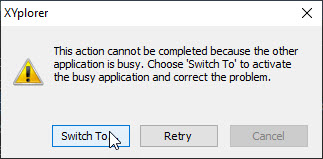
The options and [Switch to] or [Retry] many times does not respond or remains in an infinite cycle and the only way to get out of this pop-up window is by forcibly closing the application. This problem usually happens with very large office files, the [cancel] option is not because it is grayed out and I think that this should deactivate the preview of the current file.
The options and [Switch to] or [Retry] many times does not respond or remains in an infinite cycle and the only way to get out of this pop-up window is by forcibly closing the application. This problem usually happens with very large office files, the [cancel] option is not because it is grayed out and I think that this should deactivate the preview of the current file.
