List View of Shortcuts
Posted: 23 Mar 2008 17:53
Can I make XYplorer have a display similar to the display in Windows Explorer, or my other file management program xplorer2?
I'm a New user of XYplorer.
I run an independent instance of XYplorer, on a folder of mine, which I use to launch my various programs and applications. Many people might use say the Desktop -- I use a separate folder. I use the List view, without the Tree being shown.
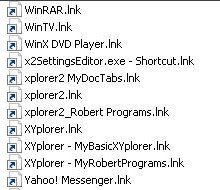
Partially, XYplorer looks like the following:
Windows Explorer or my Other File Management Program looks like:
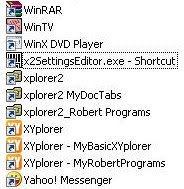
Notice the Colors on the Icons, and the Shortcut .lnk extensions.
Can I get XYplorer to display this like Explorer would?
That is with Colors and without the .Ink extension?
I'm a New user of XYplorer.
I run an independent instance of XYplorer, on a folder of mine, which I use to launch my various programs and applications. Many people might use say the Desktop -- I use a separate folder. I use the List view, without the Tree being shown.
Partially, XYplorer looks like the following:
Windows Explorer or my Other File Management Program looks like:
Notice the Colors on the Icons, and the Shortcut .lnk extensions.
Can I get XYplorer to display this like Explorer would?
That is with Colors and without the .Ink extension?