 XYplorer Beta Club
I noticed the icons have changed recently. Is there a way to get more colorful icons for these?
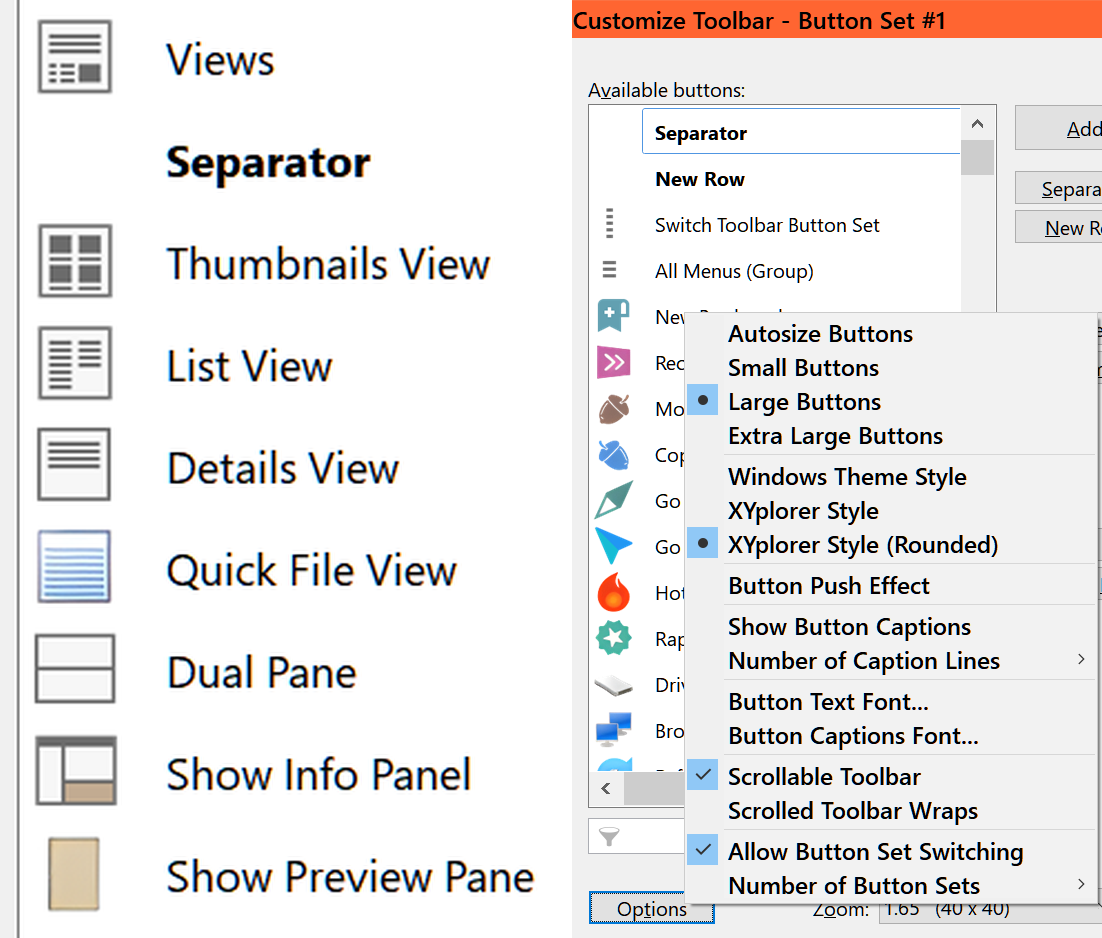
They are too b/w - bland. I have tried the styles under Customize Toolbar
https://davidswebsite.com/xyplorer/customize-icons.png
Change to different more colorful icons
-
admin
- Site Admin
- Posts: 66532
- Joined: 22 May 2004 16:48
- Location: Win8.1, Win10, Win11, all @100%
- Contact:
-
m48tx
- Posts: 319
- Joined: 07 May 2010 18:07
- Location: Windows 11 25H2, Scaling 100%
Re: Change to different more colorful icons
Ah, ELI5, what is SC patchimage? Thanks.
-
davidhelp
- Posts: 117
- Joined: 03 Sep 2012 02:28
Re: Change to different more colorful icons
Thanks, I too want to know what is SC patchimage?
-
PeterH
- Posts: 2830
- Joined: 21 Nov 2005 20:39
- Location: DE W11Pro 24H2, 1920*1200*100% 3840*2160*150%
Re: Change to different more colorful icons
SC is for (XY) System Command.
You find them in XY help.
You find them in XY help.
-
RalphM
- Posts: 2110
- Joined: 27 Jan 2005 23:38
- Location: Cairns, Australia
Re: Change to different more colorful icons
It's rather Scripting Command and their descriptions can be found under the same caption in the help.
Ralph 
(OS: W11 25H2 Home x64 - XY: Current x64 beta - Office 2024 64-bit - Display: 1920x1080 @ 125%)
(OS: W11 25H2 Home x64 - XY: Current x64 beta - Office 2024 64-bit - Display: 1920x1080 @ 125%)
-
davidhelp
- Posts: 117
- Joined: 03 Sep 2012 02:28
Re: Change to different more colorful icons
Thanks but the description under Help> Help on Scripting Commands is more then I was prepared for.
I was hoping for Tools> Customize Toolbar> Options button> another theme button set with the past colored buttons.
I was hoping for Tools> Customize Toolbar> Options button> another theme button set with the past colored buttons.