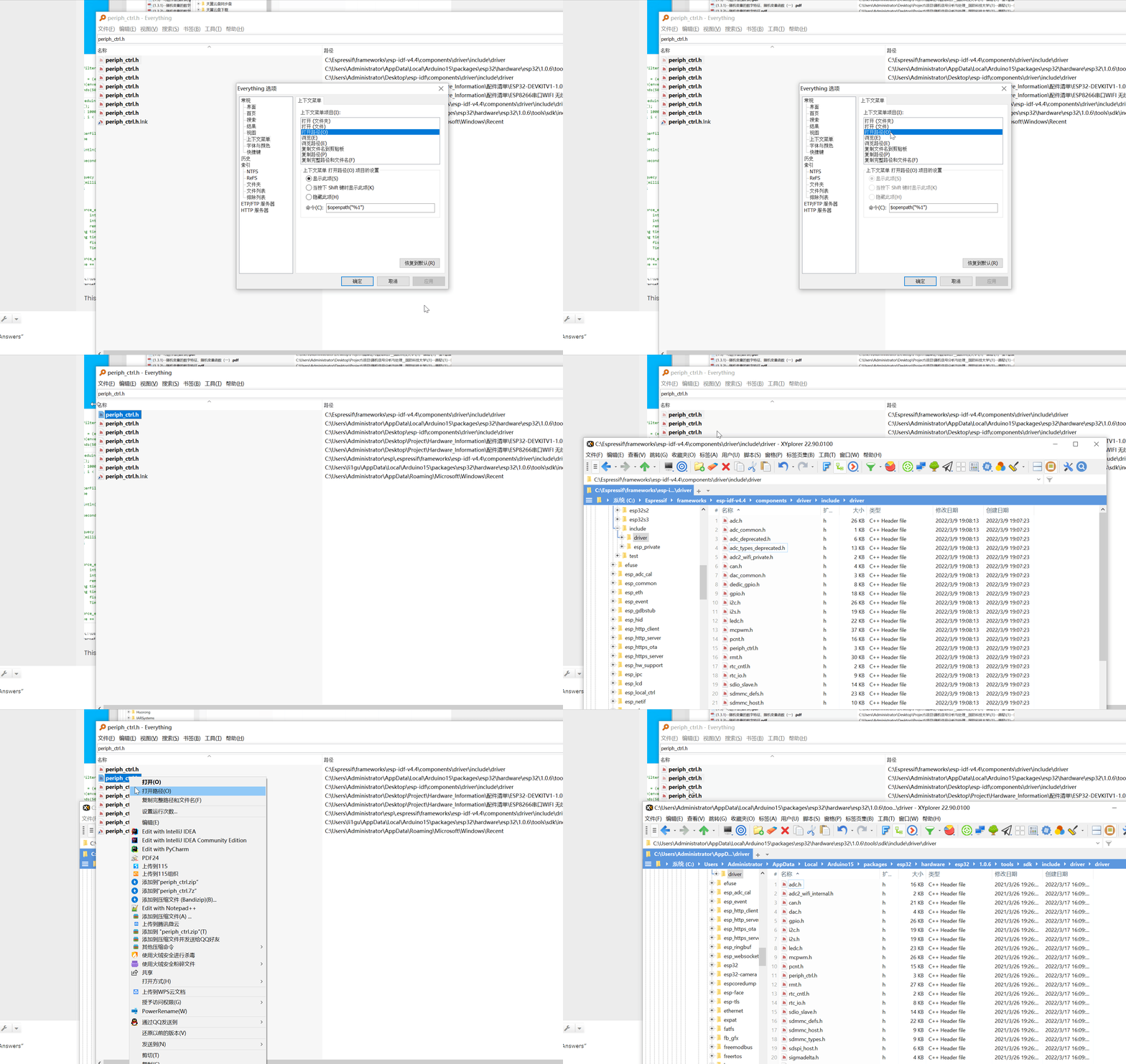
Using script command to OPEN PATH does not seem to open TAB

Please check the FAQ (https://www.xyplorer.com/faq.php) before posting a question...
Post Reply
star
Posts: 46
Joined: 11 Mar 2022 08:18

Using script command to OPEN PATH does not seem to open TAB

Post by star »

Code: Select all

$exec("C:\Tools\XYplorer\XYplorer.exe" /feed=|::perm $$P_EVERYTHING_FOLDER = "%1"; load "Everything.xys";|)
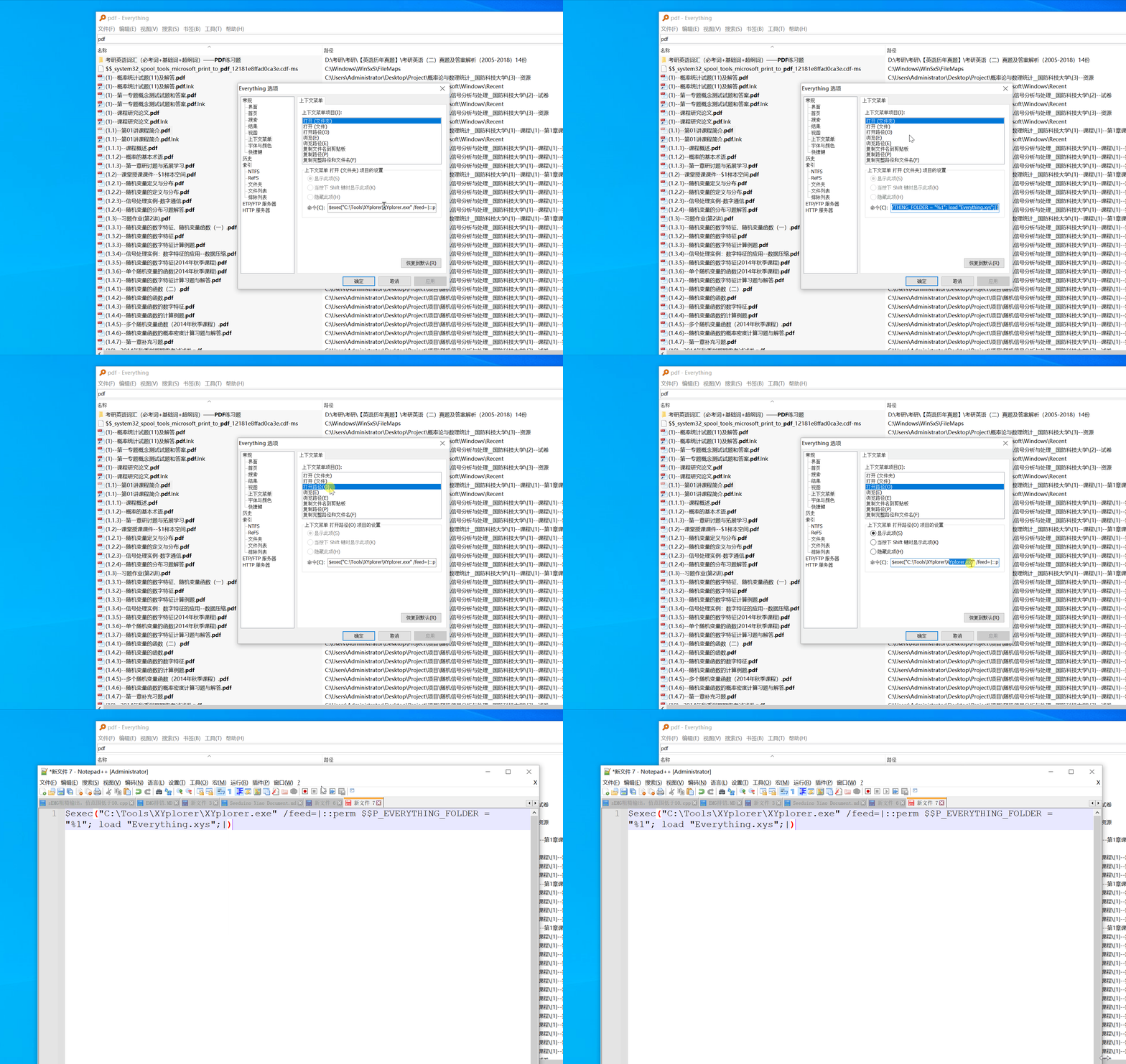
Image

Code: Select all

perm $P_EVERYTHING_FOLDER;

    if (exists($P_EVERYTHING_FOLDER) == 2) {
        tab("new", $P_EVERYTHING_FOLDER);
    }
    unset $P_EVERYTHING_FOLDER;
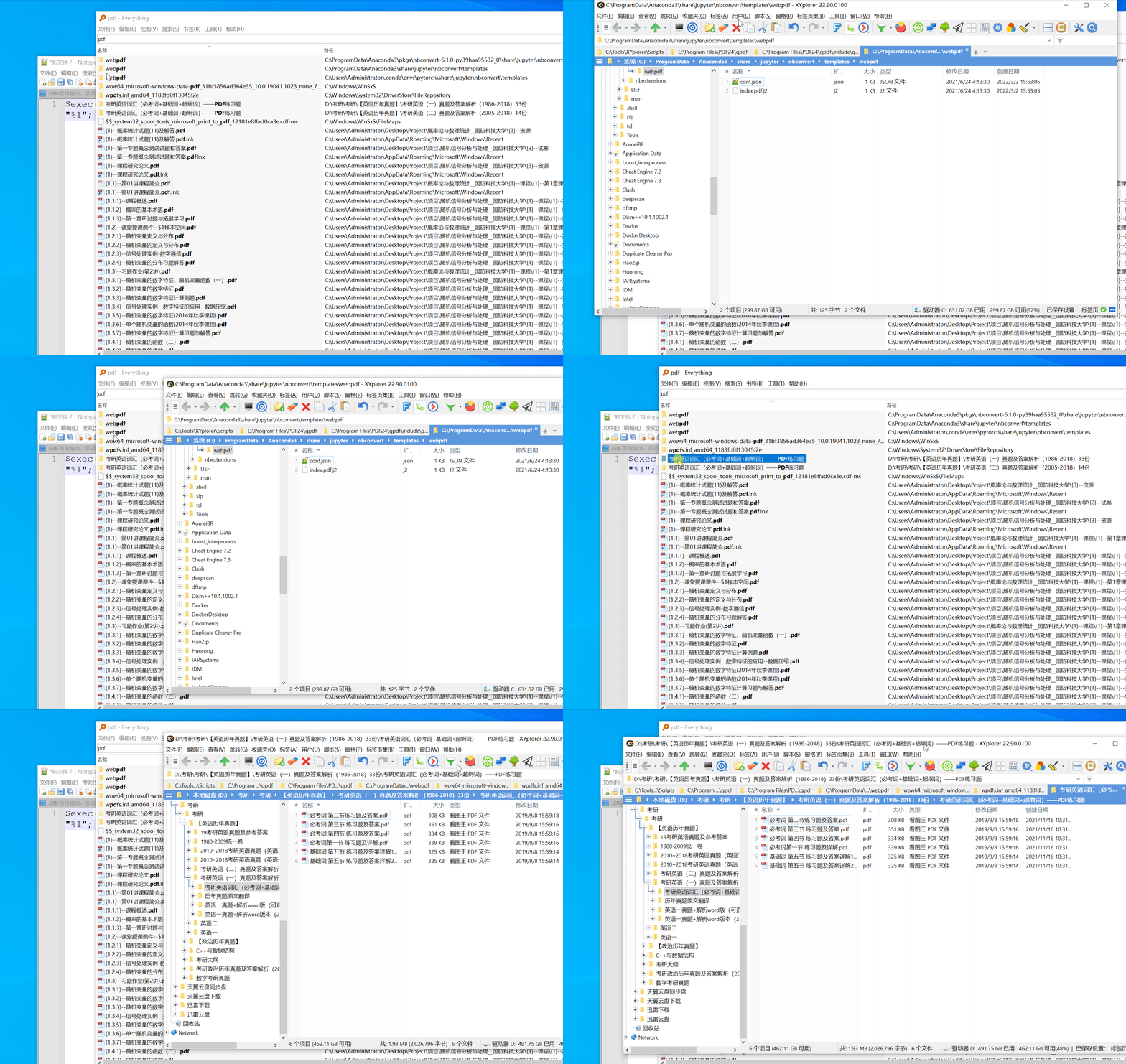
Image

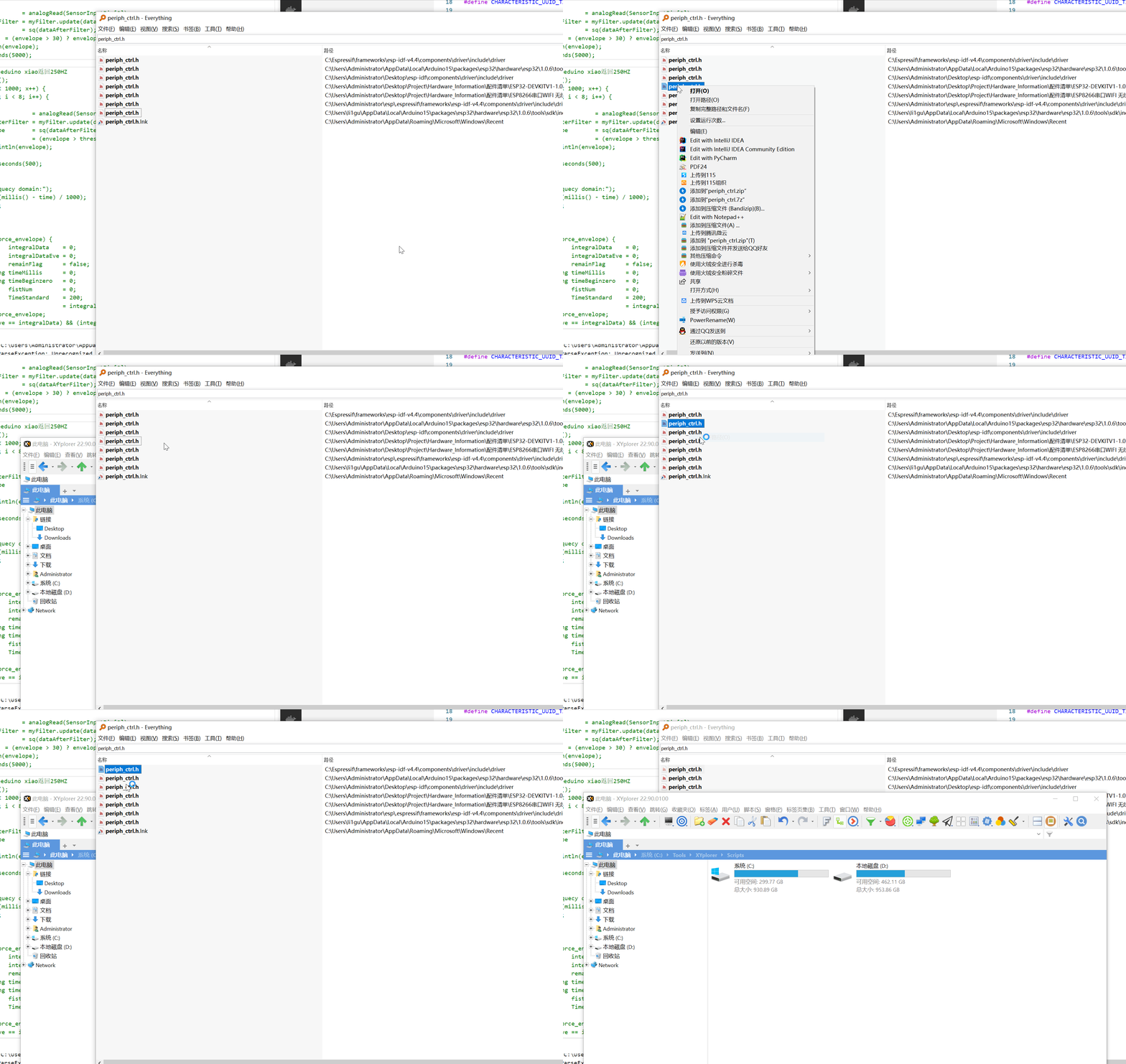
This script does not work on OPEN PATH, only on OPEN folders. How to solve it ?
Image

If don't change openpath

Image

It opens in the old TAB, not the new TAB
XYPlorer x32 Ver 27.10.0600, Win10 LSTC Enterprise 21H2, scaling percentage 200%(Display 4K)

Norn
Posts: 522
Joined: 24 Oct 2021 16:10

Re: Using script command to OPEN PATH does not seem to open TAB

Post by Norn »

Configuration | Other | Shell Integration | Default File Manager | XYplorer is default file manager?
Configuration | General | Startup & Exit | Open command line start path in new tab...
Windows 11 24H2 @100% 2560x1440

highend
Posts: 15016
Joined: 06 Feb 2011 00:33
Location: Win Server 2022 @100%

Re: Using script command to OPEN PATH does not seem to open TAB

Post by highend »

Because it must be treated differently?

Code: Select all

    perm $P_EVERYTHING_FOLDER;

    if (exists($P_EVERYTHING_FOLDER) == 1) {
        tab("new", gpc($P_EVERYTHING_FOLDER, "path"));
        selectitems gpc($P_EVERYTHING_FOLDER, "file");
        sel "+0";
        focus;

    } elseif (exists($P_EVERYTHING_FOLDER) == 2) {
        tab("new", $P_EVERYTHING_FOLDER);
    }
    unset $P_EVERYTHING_FOLDER;
One of my scripts helped you out? Please donate via Paypal

star
Posts: 46
Joined: 11 Mar 2022 08:18

Re: Using script command to OPEN PATH does not seem to open TAB

Post by star »

Norn wrote: ↑19 Mar 2022 14:47 Configuration | Other | Shell Integration | Default File Manager | XYplorer is default file manager?
Configuration | General | Startup & Exit | Open command line start path in new tab...
A very effective solution! You're great!
XYPlorer x32 Ver 27.10.0600, Win10 LSTC Enterprise 21H2, scaling percentage 200%(Display 4K)

star
Posts: 46
Joined: 11 Mar 2022 08:18

Re: Using script command to OPEN PATH does not seem to open TAB

Post by star »

highend wrote: ↑19 Mar 2022 14:55 Because it must be treated differently?

Code: Select all

    perm $P_EVERYTHING_FOLDER;

    if (exists($P_EVERYTHING_FOLDER) == 1) {
        tab("new", gpc($P_EVERYTHING_FOLDER, "path"));
        selectitems gpc($P_EVERYTHING_FOLDER, "file");
        sel "+0";
        focus;

    } elseif (exists($P_EVERYTHING_FOLDER) == 2) {
        tab("new", $P_EVERYTHING_FOLDER);
    }
    unset $P_EVERYTHING_FOLDER;
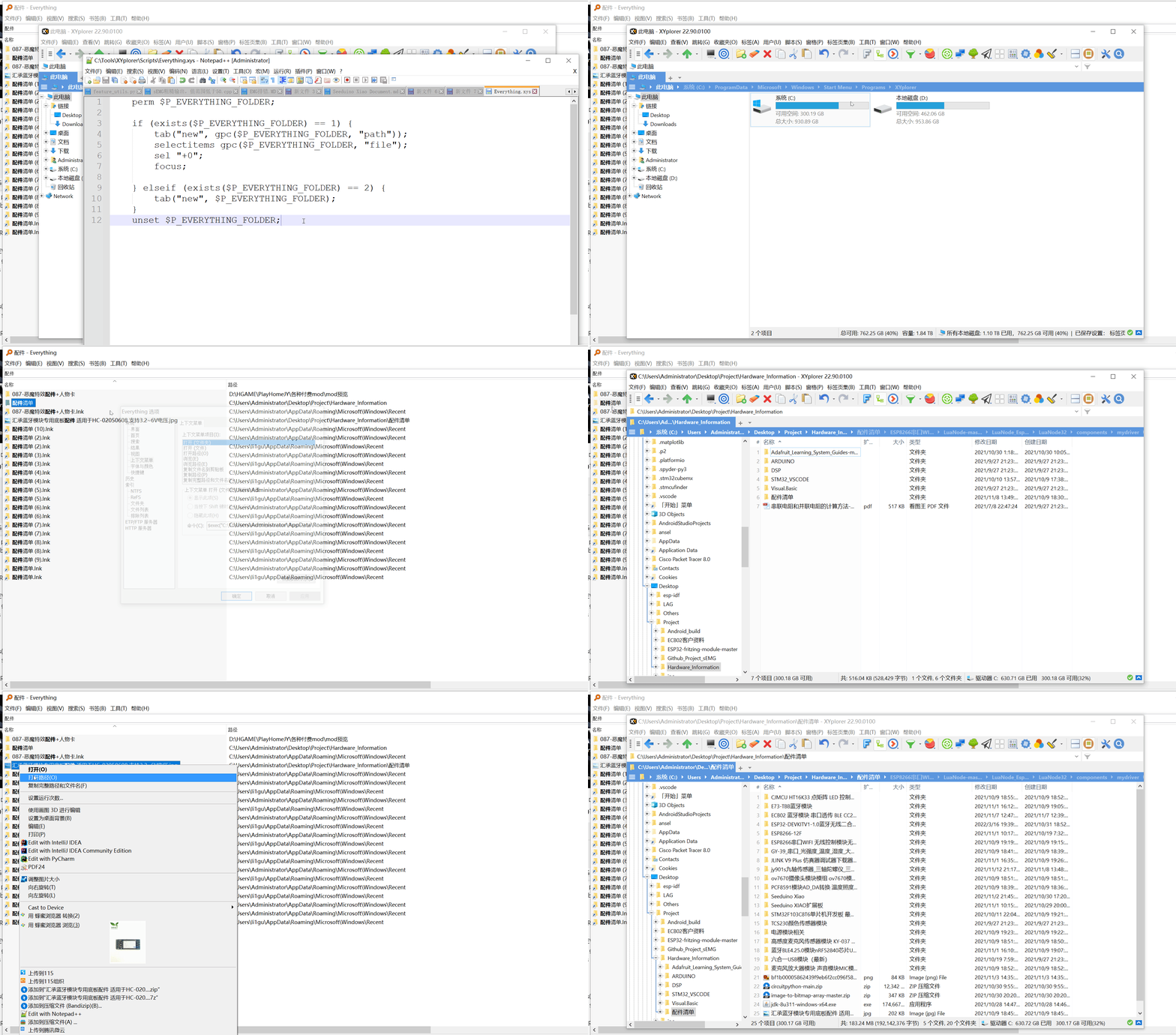
Its effects are as follows:

Image

It opens in the old TAB, not the new TAB.

Fortunately, there was an effective solution on the second floor, but I really appreciate your help😃
XYPlorer x32 Ver 27.10.0600, Win10 LSTC Enterprise 21H2, scaling percentage 200%(Display 4K)

jupe
Posts: 3575
Joined: 20 Oct 2017 21:14
Location: Win10 22H2 120dpi

Re: Using script command to OPEN PATH does not seem to open TAB

Post by jupe »

superspeed GIF, so easy to follow. 🙃

Post Reply