How can I make my disk icon same as windows style?

Please check the FAQ (https://www.xyplorer.com/faq.php) before posting a question...
Post Reply
onesavior
Posts: 10
Joined: 25 Aug 2021 04:41

How can I make my disk icon same as windows style?

Post by onesavior »

Hello guys!
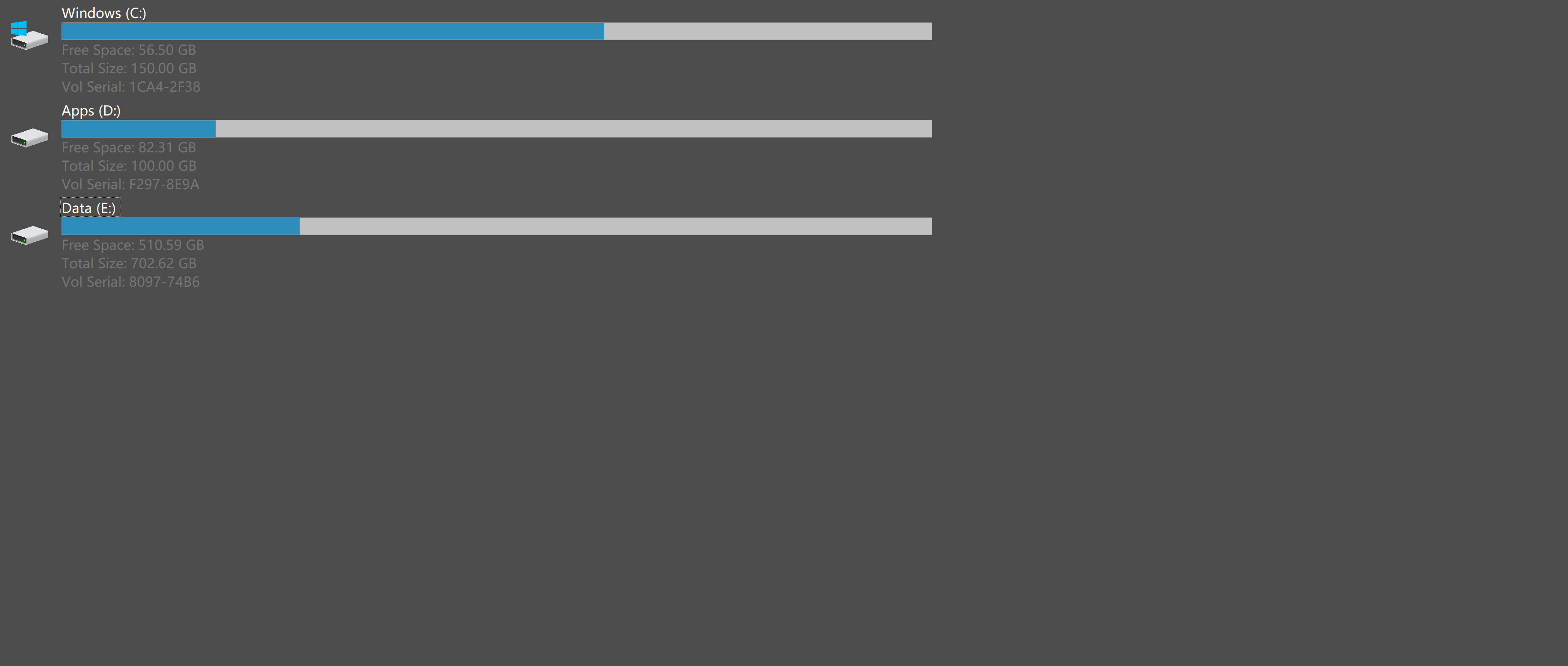
My disk icons are like this:
Image

Any method to set them to windows style?

Image

highend
Posts: 15016
Joined: 06 Feb 2011 00:33
Location: Win Server 2022 @100%

Re: How can I make my disk icon same as windows style?

Post by highend »

By following e.g. this tutorial and chose option 2 or 3
https://www.tenforums.com/tutorials/746 ... -10-a.html

The icon that is used for the C drive is in C:\Windows\System32\imageres.dll and can be extracted e.g. via
http://www.nirsoft.net/utils/iconsext.html
One of my scripts helped you out? Please donate via Paypal

onesavior
Posts: 10
Joined: 25 Aug 2021 04:41

Re: How can I make my disk icon same as windows style?

Post by onesavior »

Thanks for replying. But I'm sorry I didn't make myself clear. I'm okey with the icon and just wanna know how to make the disk space usage bar shorter so that the icons can arrange in one row.

jupe
Posts: 3570
Joined: 20 Oct 2017 21:14
Location: Win10 22H2 120dpi

Re: How can I make my disk icon same as windows style?

Post by jupe »

To remove the volume serial from display (to reduce height) select this:

View | Views | Small Tiles (96x96)

then use this to reduce width automatically:

View | Columns | Autosize Columns Now

else you can do it by adjusting Name column width manually, shortcut keys are listed in the above submenu if you have the header hidden.

onesavior
Posts: 10
Joined: 25 Aug 2021 04:41

Re: How can I make my disk icon same as windows style?

Post by onesavior »

jupe wrote: ↑27 Aug 2021 03:03 To remove the volume serial from display (to reduce height) select this:

View | Views | Small Tiles (96x96)

then use this to reduce width automatically:

View | Columns | Autosize Columns Now

else you can do it by adjusting Name column width manually, shortcut keys are listed in the above submenu if you have the header hidden.
Thank you!

Post Reply