Horst wrote: ↑27 Feb 2021 18:08
I use Total Commander 64-bit and XYplorer but I don't see much restrictions coming from the bitnes of XYplorer.
Whats the problems you get compared to your x64 solution (whatever it is) ?
In my opinion one should always run a file manager on a system in the 'native resolution' of that system.
Otherwise, you will be looking at the wrong System32 folder (can be worked around by using Windows\sysnative)
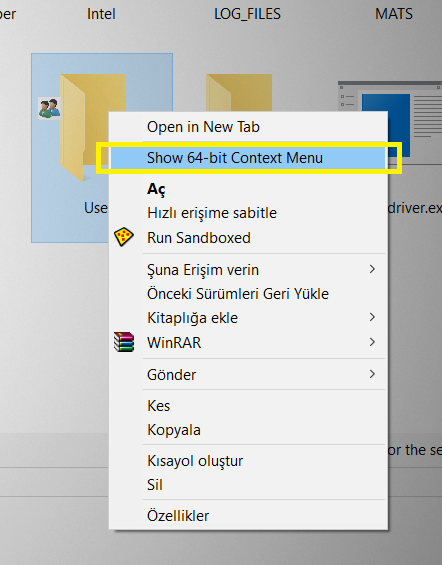
Also the wrong context menu. TC as well as XY use complicated ways to show the 64-bit context menu. I can never be sure if they apply all the (undocumented) ways Windows uses to show the native 64-bit context menu. But that is the same for all programs, even 64-bit, that add their own entries "on the fly" in their application (like Everything does, for example

) Although .. on econd thought .. there might be an API for that.
I make *a lot* of modifications to the context menu and the registry in general. I would have to rewrite all my scripts to also support the wow6432node entries too.
Even file associations might differ (although that is *very* uncommon ...)
Preview handlers might differ too.
Furthermore 32-bit applications can only address 2GB RAM. Not a problem for the file manager self , but in general might cause issues.
32-bit applications use slightly less RAM than 64-bit ones, but they also load extra 32-bit resources (DLL's tec.) Those will be 'loaded as' shared memory.
If you have only 64-bit applications running, there is nothing to share, causing that 32-bit application to use *more* memory.
If you run all 64-bit application, those DLL's are in most cases already loaded in shared memory and don't cost extra RAM.
I have just 2 32-bit applications on my system. One is on my todo-list to write my own version of. The other I use infrequently.
And another point, especially relevant for filemanagers like TC: plug-ins
If you still use the 32-bit version while there is also a 64-bit edition, you are probably stuck with that version because of the plugins you need.
That means development of that plugin has stopped. And that means that you can't move forward ( the reality is more nuanced, but you get the point)
I probably forgot a few points, but those are my reasons why I want my file manager to be 64-bit.
They are debatable, but not negotiable

That is a pity, as I really like XYPlorer. It even has a (very well thought out) Undo function for file operations.
What also made me smile is that I am used to double-click on an empty part of the file list to go one level up. Muscle memory made me do that in XY too. Worked! (and the breadcrumb toolbar keeps track. Brilliant!)
 XYplorer Beta Club