[SOLVED] Empty bar being shown under the status bar

Things you’d like to miss in the future...
Forum rules
:warnred20: :warnred20: :warnred20: :warnred20: :warnred20: READ THIS AND DO IT!!! :warnred20: :warnred20: :warnred20: :warnred20: :warnred20:

:info: Please include the following information:
1) Your XYplorer Version (e.g., v28.00.0801)
2) Your Windows Version (e.g., Win 11)
3) Your Screen Scaling Percentage (e.g., 125%).

:info: We strongly recommend adding your Windows Version and Screen Scaling Percentage to the Location field in your Profile or to your Signature. That way, you only have to type them once, and we won't have to search for that vital information.

:info: When attaching an Image, please use the Attachment tab at the bottom of your post and click "Add files".

:warnred20: :warnred20: :warnred20: :warnred20: :warnred20: READ THIS AND DO IT!!! :warnred20: :warnred20: :warnred20: :warnred20: :warnred20:
Post Reply
Leito
Posts: 562
Joined: 26 Sep 2016 15:37
Location: Windows 10 1809 x64

[SOLVED] Empty bar being shown under the status bar

Post by Leito »

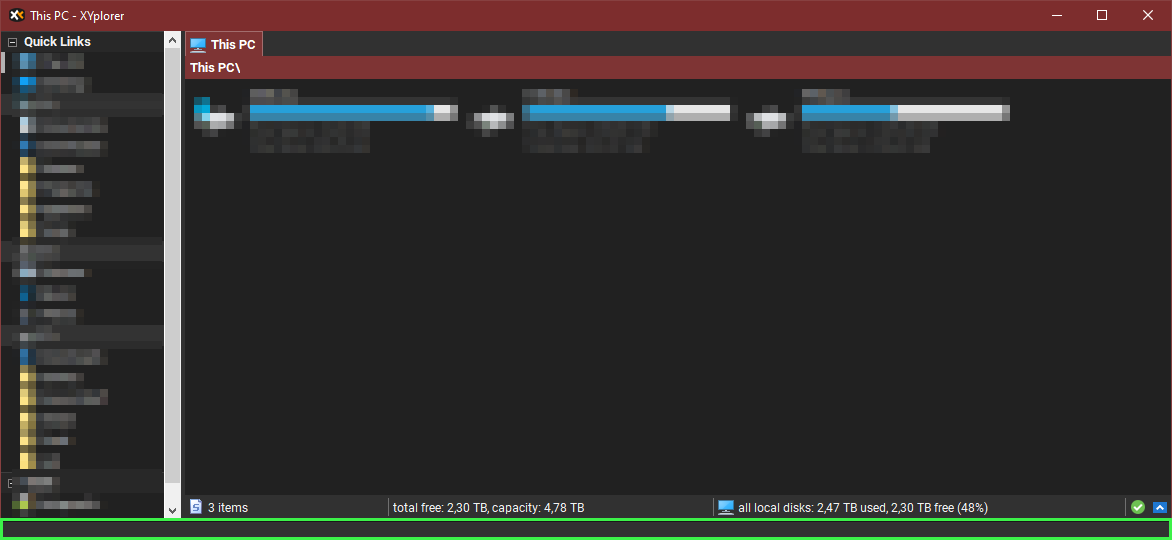
After updating to 20.50.0100 (from 20.40 I believe), I've noticed that an extra blank bar is being drawn under the status bar, each time I open XYplorer:

Image

If I resize XYplorer, it goes away. The next time I start XYplorer, this empty bar is back.
Last edited by Leito on 28 Oct 2019 10:39, edited 1 time in total.

Leito
Posts: 562
Joined: 26 Sep 2016 15:37
Location: Windows 10 1809 x64

Re: Empty bar being shown under the status bar

Post by Leito »

More info:
  • It happens also with version 20.50
  • It happens only when XYplorer starts not maximized.

satisfyship
Posts: 14
Joined: 21 Oct 2019 08:57

Re: Empty bar being shown under the status bar

Post by satisfyship »

Hello,

I'm having the exact same problem.

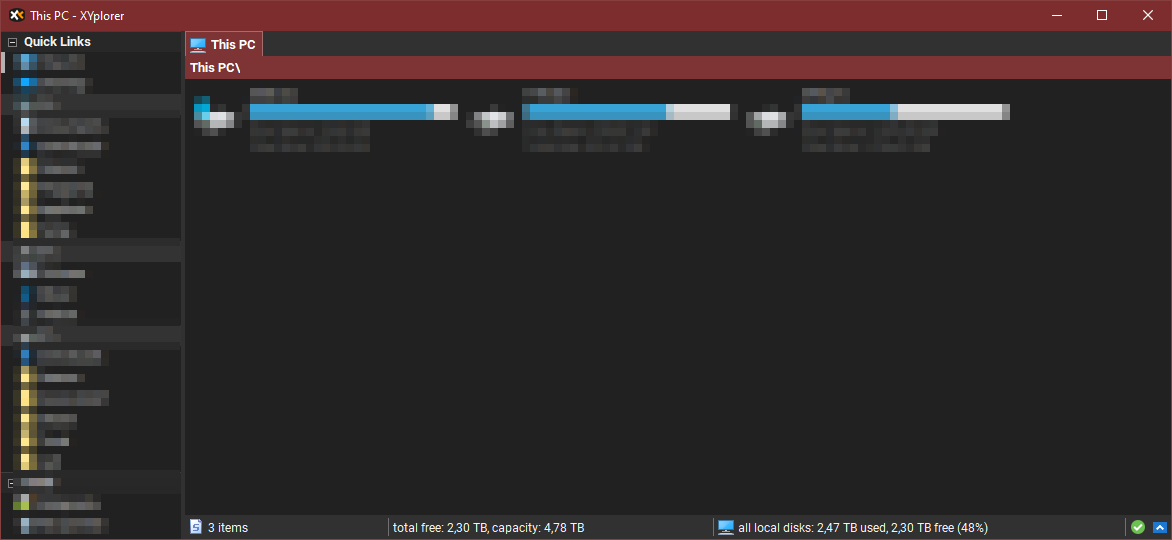
This is what my window usually looks like with version 20.40 and before: https://pictshare.net/8gdxes.png.
After updating to 20.50 or 20.50.0100 it looks like this: https://pictshare.net/wtzbv0.png.

Like user Leito said, this empty bar vanishes when changing the window size, e.g. by resizing the window or pressing the Alt key to show the menu bar, etc. After restarting XYplorer, the empty bar is back again.


Best regards
satisfyship

admin
Site Admin
Posts: 65353
Joined: 22 May 2004 16:48
Location: Win8.1, Win10, Win11, all @100%
Contact:

Re: Empty bar being shown under the status bar

Post by admin »

OK, I'm seeing it too (if the main menu is hidden). Fix on the way...

Leito
Posts: 562
Joined: 26 Sep 2016 15:37
Location: Windows 10 1809 x64

Re: Empty bar being shown under the status bar

Post by Leito »

Thanks. I confirm this is fixed in 20.50.0101. :tup:

satisfyship
Posts: 14
Joined: 21 Oct 2019 08:57

Re: [SOLVED] Empty bar being shown under the status bar

Post by satisfyship »

Sorry for the late reply, but yes, also fixed for me since that version.

:wink:

Post Reply