Page 1 of 1
Wrong date of creation
Posted: 26 Aug 2023 19:11
by zezera
I've been struggling to make XYplorer to show the real creation date of some files, but no success so far.
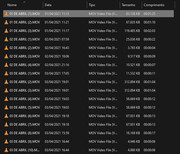
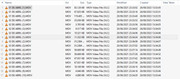
On the example below, please note that Windows Explorer shows the right date of the files (all from April 2021), but XYplorer does not.
I've researched on the forums but haven't found an answer, so I'm posting this issue here. I appreciate any help.
Re: Wrong date of creation
Posted: 26 Aug 2023 19:19
by highend
zip the smallest one, upload it somewhere (e.g. dropbox), provide a link
Re: Wrong date of creation
Posted: 26 Aug 2023 19:29
by zezera
Done. I've also included a picture of the metadata info.
https://drive.google.com/file/d/1tYQWEx ... sp=sharing
Re: Wrong date of creation
Posted: 26 Aug 2023 19:47
by highend
The smallest video, not a screenshot^^
Re: Wrong date of creation
Posted: 26 Aug 2023 20:08
by zezera
Sorry for the misunderstanding. I'm not permitted to share some of those videos, including the very smaller one. But there it is the smaller one I'm allowed to share, hope you don't mind. The following file is one of the files in the same folder, presenting the same issue about the creation date.
https://drive.google.com/file/d/1t_K6wF ... sp=sharing
Re: Wrong date of creation
Posted: 26 Aug 2023 20:19
by highend
Add a custom column for this...
Code: Select all
return property("System.Media.DateEncoded", <cc_item>);
2023-08-26_201822.png
Re: Wrong date of creation
Posted: 26 Aug 2023 20:38
by zezera
It worked perfectly, thank you so much!
But now I have another problem, as I'm noob on this:
I want to create a custom rename command using the Date Encoded info (date and time). For the modificated date, I already know that creating the command with the pattern "<datem dd-mm-yyyy>___<datem hh_nn_ss>" will work fine. Could you, please, let me know the pattern I have to use to do exactly the same renaming, but instead taking the modification date, to take the Date Encoded you just tought me?
Sorry for my bad English, btw.
Re: Wrong date of creation
Posted: 26 Aug 2023 21:11
by highend
What?
Do you want to set the modified date to the date of the DateEncoded property or really rename the name (and if so, how _exactly_)?
Re: Wrong date of creation
Posted: 26 Aug 2023 21:25
by zezera
I want a batch rename that rename the files I select, so the new file names will be their real date of creation.
As an example, lets take the 2 first files shown on the pics I've posted:
01 DE ABRIL (1).MOV (which creation date and time is 01/04/2021 - 14:15:39)
01 DE ABRIL (2).MOV (which creation date and time is 01/04/2021 - 14:21:24)
I need a batch rename that will rename the 2 files above to (and respectively):
01-04-2021___14_15_39
01-04-2021___14_21_24
I already know that a batch user command wich the pattern "<datem dd-mm-yyyy>___<datem hh_nn_ss>___*" will rename them to the modified date (instead the creation date you helped me to create a column for). But I don't know the parameters to rename them using that creation date.
Re: Wrong date of creation
Posted: 26 Aug 2023 21:27
by zezera
*EDIT: The result names I need is actually:
01-04-2021___14_15_39.MOV
01-04-2021___14_21_24.MOV
Sorry, I've forgotten to type the extensions on the previous example.
Re: Wrong date of creation
Posted: 26 Aug 2023 21:59
by highend
You can't use the normal batch rename feature for this (to do this in one go)...
You need a script (put it onto a button, a user defined command, in the catalog, ...):
Code: Select all
$items = <get SelectedItemsPathNames>;
    end (!$items), "No item(s) selected, aborted!";

    setting "BackgroundFileOps", 0;
    foreach($item, $items, <crlf>, "e") {
        if (exists($item) == 2) { continue; }

        $dateEncoded = property("System.Media.DateEncoded", $item);
        if ($dateEncoded == "") { continue; }

        $old = gpc($item, "base");
        $new = formatdate($dateEncoded, "dd-mm-yyyy___hh_nn_ss");
        if ($new != $old) { renameitem($new, $item); }
    }
Re: Wrong date of creation
Posted: 26 Aug 2023 22:41
by zezera
Again, it worked perfectly. Thank you so much!