Page 1 of 2
Unzipping .zip files
Posted: 08 Nov 2010 21:56
by pjbw
I am trying out version 9.70.0000 in W7 Professional. When I 2-click on a .zip file in XYplorer it loads my PowerDesk 8 with that file highlighted. It seems as if I am stuck with PD if I need to work with zip files (PD's Archive menu option).
Re: Unzipping .zip files
Posted: 08 Nov 2010 23:32
by admin
Welcome!
Browsing ZIPs is currently not supported but planned.
Don
Re: Unzipping .zip files
Posted: 08 Nov 2010 23:50
by avsfan
pjbw wrote:I am trying out version 9.70.0000 in W7 Professional. When I 2-click on a .zip file in XYplorer it loads my PowerDesk 8 with that file highlighted. It seems as if I am stuck with PD if I need to work with zip files (PD's Archive menu option).
I've been able to use XY with a variety of archivers -- you just need to install the archiver you want (32-bit if you want the context menus to be available in XY), and then set your association for .zip files to open your archiver of choice.
You can also set up the Portable File Associations (Tools->ListManagement->Portable File Associations...") to open .zip files with your archiver of choice (without changing the default file associations).
I hope this helps!
andy
Re: Unzipping .zip files
Posted: 09 Nov 2010 00:07
by SkyFrontier
...can't say for sure regarding v8, but my old v4 has under Options > Preferences > Zip/Unzip a setting to Show compressed files as folders. You may want to un-check Open compressed files from the File List.
Perhaps your version has a way to unset Associate Archive Files (mine doesn't).
-if that behavior bothers you, of course - I find it irritating, in fact. Native support on XY will certainly be a plus.
Re: Unzipping .zip files
Posted: 13 Dec 2010 09:30
by Sander Bouwhuis
So, Zip folders is on the to-do list? That is great!
I hope you use 7-Zip for this so that we can not only open zip files, but also 7z files (and tar, rar, etc...).
I hope this feature comes soon, as I'm currently in need of it, which is why I have been falling back on Windows Explorer (yuck!) lately.
Re: Unzipping .zip files
Posted: 13 Dec 2010 12:06
by zer0
Add "zip." to this XYplorer.ini key to allow prevew of Zip files.
You can't DnD files out of it, but can open them by double-clicking.
Re: Unzipping .zip files
Posted: 14 Dec 2010 00:20
by Sander Bouwhuis
I set this in the ini file:
Code: Select all
OfficePreviewCustomExtensions=zip.
But, it doesn't work. The tree doesn't show a zip file as a folder, and double-clicking a zip file simply opens it with 7-zip.
What am I doing wrong?
PS
I want to keep double-click for 7-zip, but I would just like to see the contents as a folder (like Windows Explorer).
Re: Unzipping .zip files
Posted: 14 Dec 2010 01:37
by zer0
iycgtptyarvg wrote:I set this in the ini file:
Code: Select all
OfficePreviewCustomExtensions=zip.
But, it doesn't work. The tree doesn't show a zip file as a folder, and double-clicking a zip file simply opens it with 7-zip.
What am I doing wrong?
PS
I want to keep double-click for 7-zip, but I would just like to see the contents as a folder (like Windows Explorer).
You won't get that functionality [yet] with XYplorer. All that INI key does is it enables you to see contents of a Zip file within the Preview tab of Info Panel. And I do believe you need to have a dot before the "zip" part as well as after it.
Re: Unzipping .zip files
Posted: 14 Dec 2010 06:22
by serendipity
zer0 wrote:Add "zip." to this XYplorer.ini key to allow prevew of Zip files.
You can't DnD files out of it, but can open them by double-clicking.
XY has a friendlier way to add extensions, for previewing archives add 7z or zip and other to "Web & Office files" category in configuration>Previewed formats.
Also, it is possible to DnD files out of an archive (i.e. from XY's info panel to list) and to DnD files into an archive (from explorer, desktop etc).
Re: Unzipping .zip files
Posted: 14 Dec 2010 09:12
by Sander Bouwhuis
serendipity wrote:XY has a friendlier way to add extensions, for previewing archives add 7z or zip and other to "Web & Office files" category in configuration>Previewed formats.
Also, it is possible to DnD files out of an archive (i.e. from XY's info panel to list) and to DnD files into an archive (from explorer, desktop etc).
I tried this, but it doesn't work. When I now go to the 'preview' tab and click on a 7z or zip file, it simply starts 7-zip (as if I had double-clicked the file). It does not show the contents for me in either the preview pane or the file pane.
Am I misunderstanding this feature, or am I still doing something wrong?
Re: Unzipping .zip files
Posted: 14 Dec 2010 11:19
by zer0
serendipity wrote:Also, it is possible to DnD files out of an archive (i.e. from XY's info panel to list) and to DnD files into an archive (from explorer, desktop etc).
With Zip files, I can DnD into them, but not out of them

iycgtptyarvg wrote:serendipity wrote:XY has a friendlier way to add extensions, for previewing archives add 7z or zip and other to "Web & Office files" category in configuration>Previewed formats.
Also, it is possible to DnD files out of an archive (i.e. from XY's info panel to list) and to DnD files into an archive (from explorer, desktop etc).
I tried this, but it doesn't work. When I now go to the 'preview' tab and click on a 7z or zip file, it simply starts 7-zip (as if I had double-clicked the file). It does not show the contents for me in either the preview pane or the file pane.
Am I misunderstanding this feature, or am I still doing something wrong?
It doesn't work for 7z files, but does work for Zip files. It's not supposed to display contents in the file pane.
Re: Unzipping .zip files
Posted: 14 Dec 2010 16:14
by serendipity
zer0 wrote:With Zip files, I can DnD into them, but not out of them
Don't know why, it works fine both way for me.
zer0 wrote:It doesn't work for 7z files, but does work for Zip files. It's not supposed to display contents in the file pane.
Yeah, only Zip files work with preview. Whatever works in Windows explorer should work in XY preview.
Re: Unzipping .zip files
Posted: 14 Dec 2010 18:26
by serendipity
iycgtptyarvg wrote:serendipity wrote:XY has a friendlier way to add extensions, for previewing archives add 7z or zip and other to "Web & Office files" category in configuration>Previewed formats.
Also, it is possible to DnD files out of an archive (i.e. from XY's info panel to list) and to DnD files into an archive (from explorer, desktop etc).
I tried this, but it doesn't work. When I now go to the 'preview' tab and click on a 7z or zip file, it simply starts 7-zip (as if I had double-clicked the file). It does not show the contents for me in either the preview pane or the file pane.
Am I misunderstanding this feature, or am I still doing something wrong?
OK, try this:
Select your zip file and run this from address bar:
Do you see archive contents or does it start 7-zip?
Re: Unzipping .zip files
Posted: 14 Dec 2010 20:30
by Kucera
OK, try this:
Select your zip file and run this from address bar:
Do you see archive contents or does it start 7-zip?
Oy! Sorry to barge in, but I not only do not get
anything to either start or show itself in Preview, I also get the infamous "do you want to open or save this file" message with my zip file.
On a related subject - I tried to add .epub files to my PFA via Customize file associations for opening with 7zip or RAR, but the right-click on an .epub file does not show either. Did I miss a step, or is it a bug?
Latest beta on XP SP3
Regards Emil
Re: Unzipping .zip files
Posted: 14 Dec 2010 20:47
by Sander Bouwhuis
serendipity wrote:OK, try this:
Select your zip file and run this from address bar:
Do you see archive contents or does it start 7-zip?
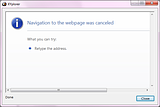
I get a messagebox (see picture) and 7-zip starts: