Page 1 of 1
Change to different more colorful icons
Posted: 11 Aug 2026 05:19
by davidhelp
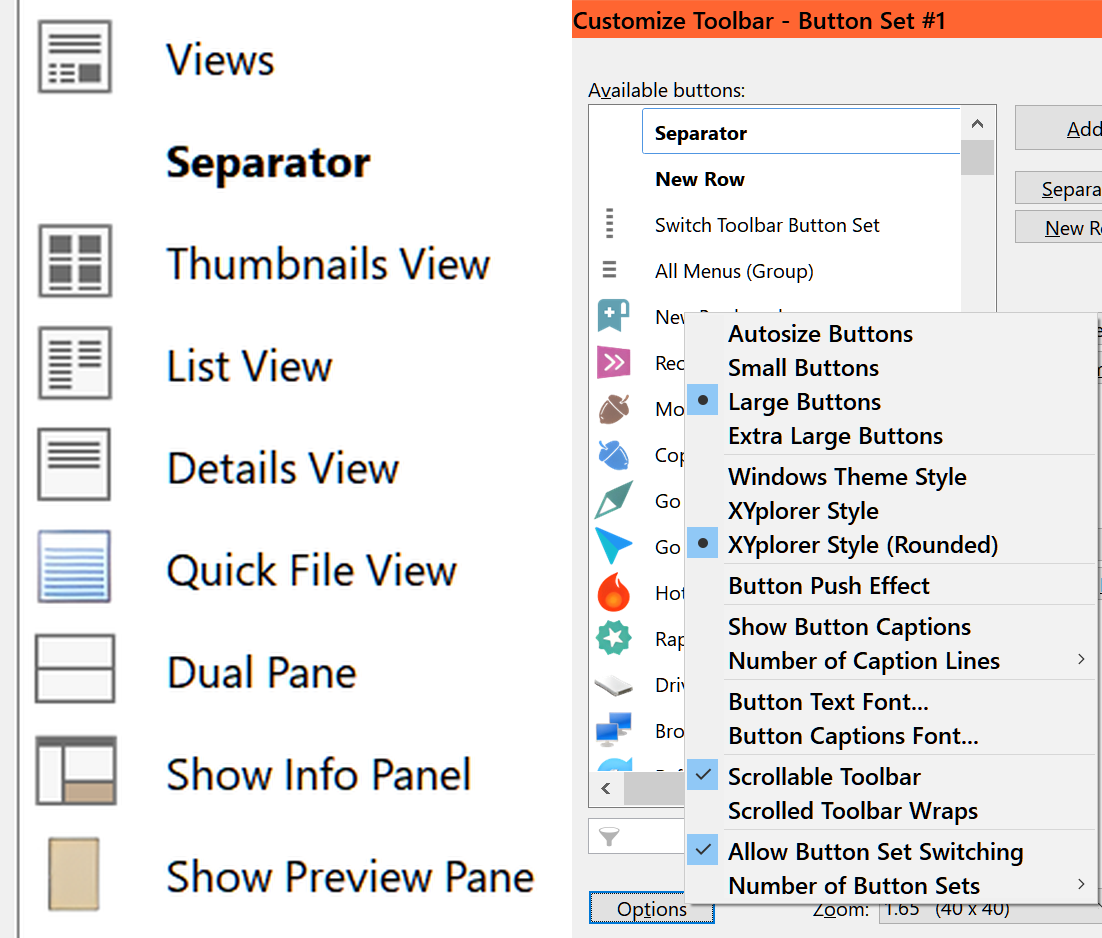
I noticed the icons have changed recently. Is there a way to get more colorful icons for these?
They are too b/w - bland. I have tried the styles under Customize Toolbar
https://davidswebsite.com/xyplorer/customize-icons.png
Re: Change to different more colorful icons
Posted: 11 Aug 2026 10:38
by admin
Check out SC patchimage.
Re: Change to different more colorful icons
Posted: 11 Aug 2026 22:58
by m48tx
Ah, ELI5, what is SC patchimage? Thanks.
Re: Change to different more colorful icons
Posted: 12 Aug 2026 00:32
by davidhelp
Thanks, I too want to know what is SC patchimage?
Re: Change to different more colorful icons
Posted: 12 Aug 2026 01:01
by PeterH
SC is for (XY) System Command.
You find them in XY help.
Re: Change to different more colorful icons
Posted: 12 Aug 2026 02:59
by RalphM
It's rather Scripting Command and their descriptions can be found under the same caption in the help.
Re: Change to different more colorful icons
Posted: 12 Aug 2026 22:34
by davidhelp
Thanks but the description under Help> Help on Scripting Commands is more then I was prepared for.
I was hoping for Tools> Customize Toolbar> Options button> another theme button set with the past colored buttons.