Window hidden on program startup
Posted: 07 Sep 2025 17:06
A few weeks ago XYPlorer got into a mode where, when I start it up, the window is somehow hidden off screen and/or also minimized. I have tried all of the usual things to bring it up from that state but they didn't work. I have a dual monitor setup. One monitor is HD 1920 with 100% scaling and the other is 4k with 150% scaling. I have been using XYPlorer this way for many years without issue.
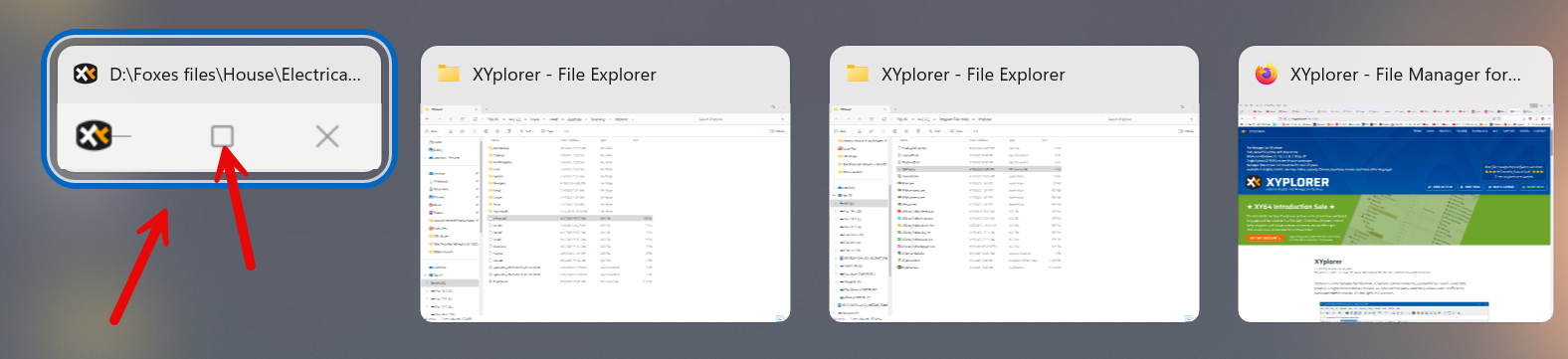
I was able to fix it after searching online, but it has happened again, so I thought I would post here in case anyone knows what might be causing this. (Also, I don't remember what It did, sorry.) In the screenshot below from hitting ALT-Tab, you can see how the instance is smaller than other running programs and also the close and maximize buttons are greyed out. When I select XYPlorer with ALT-Tab is stays hidden.
Any suggestions?
Thanks.
Windows 11 Pro 24H2, 26100.4946
I was able to fix it after searching online, but it has happened again, so I thought I would post here in case anyone knows what might be causing this. (Also, I don't remember what It did, sorry.) In the screenshot below from hitting ALT-Tab, you can see how the instance is smaller than other running programs and also the close and maximize buttons are greyed out. When I select XYPlorer with ALT-Tab is stays hidden.
Any suggestions?
Thanks.
Windows 11 Pro 24H2, 26100.4946