I can no longer double click on a .lnk file to launch it
Posted: 09 Feb 2023 02:32
Hello,
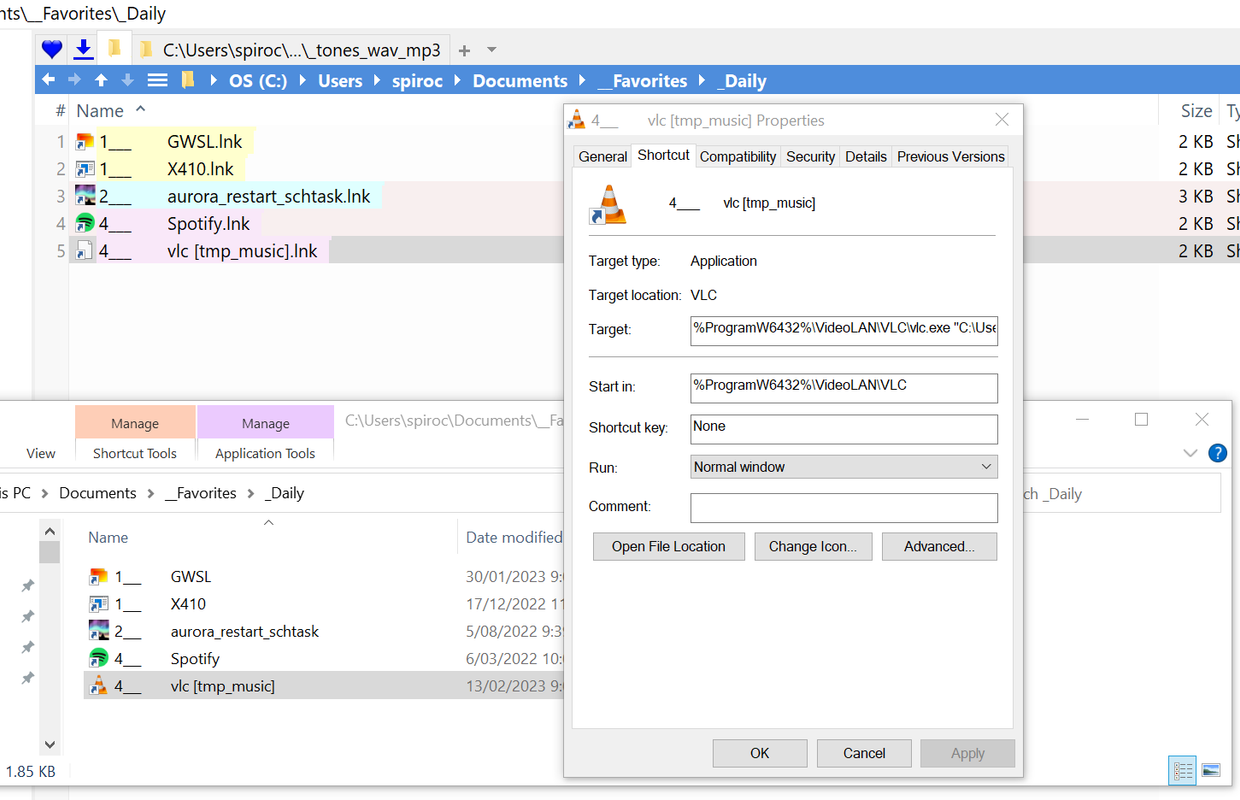
I am using version 24.00.0700. Since v 23.90.400 I am unable to open a .lnk file by double clicking on it IF it has a parameter. It works fine if it does not have a parameter. eg .lnk contents:
works: "C:\Program Files\VideoLAN\VLC\vlc.exe"
does not work: "C:\Program Files\VideoLAN\VLC\vlc.exe" "C:\Users\spiroc\Desktop\tmp_music"
Earlier versions, at least up to v23.50 worked fine. In the explorer pane I can successfully run the .lnk file by right clicking on it and pressing Open. It's just the double click that no longer works (and also not working if I drag the .lnk into a catalog). I have confirmed the problem still exists if I erase my profile first and launch a fresh XYplorer. I have also confirmed that the problem does not exist in Windows Explorer and still exists if I run XYplorer as Administrator. I notice too that I can't update the .lnk icon. When the double click fails, the popup says, for example,
"C:\Program Files (86)\VideoLAN\VLC\vlc.exe" The specified path does not exist
except the .lnk shortcut is NOT the (x86) path to vlc.exe!! I checked for updates on Win 10 and tried a reboot too, no luck.
thanks,
Spiro
I am using version 24.00.0700. Since v 23.90.400 I am unable to open a .lnk file by double clicking on it IF it has a parameter. It works fine if it does not have a parameter. eg .lnk contents:
works: "C:\Program Files\VideoLAN\VLC\vlc.exe"
does not work: "C:\Program Files\VideoLAN\VLC\vlc.exe" "C:\Users\spiroc\Desktop\tmp_music"
Earlier versions, at least up to v23.50 worked fine. In the explorer pane I can successfully run the .lnk file by right clicking on it and pressing Open. It's just the double click that no longer works (and also not working if I drag the .lnk into a catalog). I have confirmed the problem still exists if I erase my profile first and launch a fresh XYplorer. I have also confirmed that the problem does not exist in Windows Explorer and still exists if I run XYplorer as Administrator. I notice too that I can't update the .lnk icon. When the double click fails, the popup says, for example,
"C:\Program Files (86)\VideoLAN\VLC\vlc.exe" The specified path does not exist
except the .lnk shortcut is NOT the (x86) path to vlc.exe!! I checked for updates on Win 10 and tried a reboot too, no luck.
thanks,
Spiro
 Location currently not available.