Page 1 of 2
Highlight Selected Current Item
Posted: 13 Jun 2022 20:39
by Evolve
In order to see which item info is being displayed in Status Bar when it is among the other selected ones, it would make sense to highlight it as it is done in Windows Explorer.
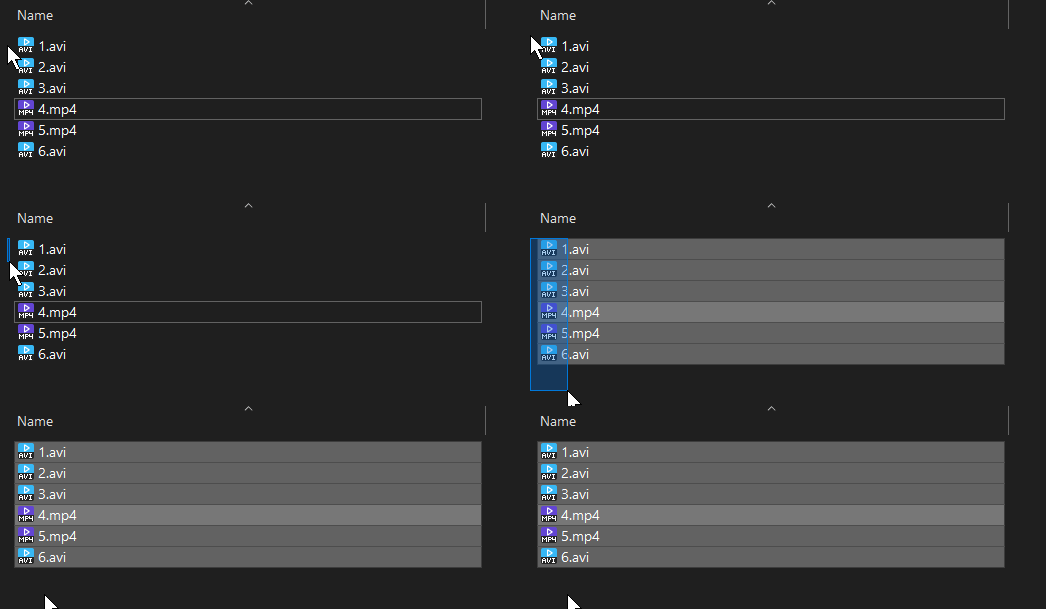
- zcUNoFmfkF.gif (14.44 KiB) Viewed 1882 times
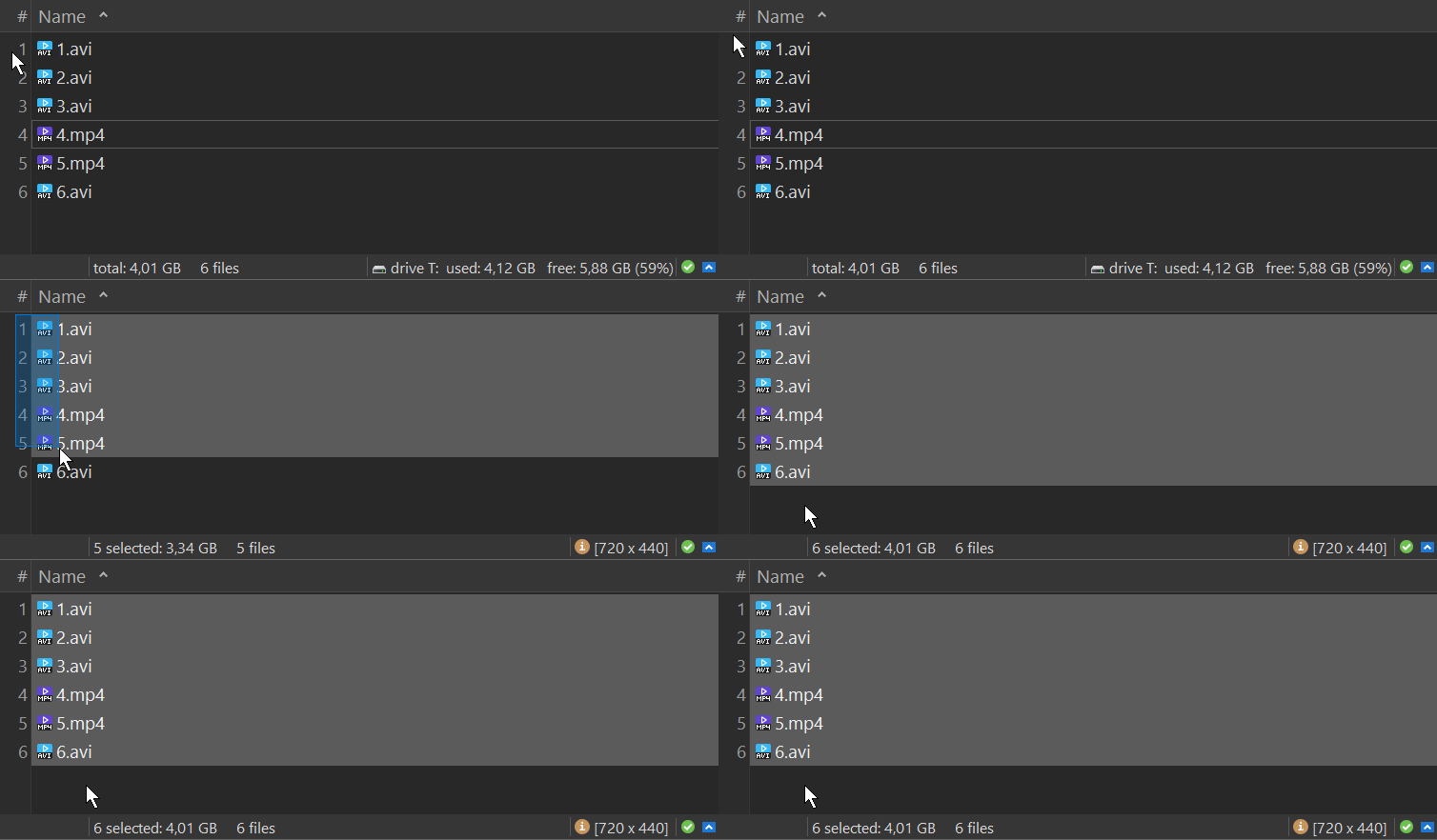
- Hqqm1UD4VH.gif (29.89 KiB) Viewed 1882 times
Re: Highlight Selected Current Item
Posted: 14 Jun 2022 13:00
by admin
Hmm, it used to be like this (and still works in the unfocused list). I'll make it work again.
Re: Highlight Selected Current Item
Posted: 08 Aug 2022 11:19
by Evolve
Code: Select all
v23.40.0011 - 2022-08-07 11:46
    * List: Since v23.40.0002 - 2022-08-02 12:15 there is a tweak to control whether the
      focused element within a multi-selection is drawn slightly lighter to make it stand
      out:
        ListHighlightFocusedSelection=1
      From now on this behavior is also controlled by "Tools | Customize List | Highlight
      Focused Item". Both need to be ON to make it happen.
I understand it was done due to this bug report
Unwanted focused item highlighting since v23.30.0000
But now the people who don't want to highlight focused items will suffer, here is what they will have to do to partially fix this
1. Activate that setting in
every folder view and then save the folder view setting
Tools | Customize List | Highlight Focused Items
View | Folder View Settings | Save Folder View
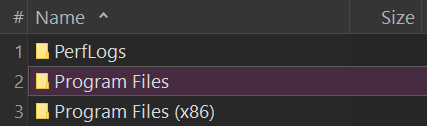
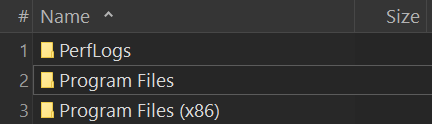
2. Figure out what gives this color and change it to the background color
everywhere
- 0.png (5.09 KiB) Viewed 1374 times
Configuration | Colors and Styles | Colors | List | Browse | Focused Item
Configuration | Colors and Styles | Colors | List | Drive | Focused Item
Configuration | Colors and Styles | Colors | List | Network | Focused Item
....
- 1.png (5.05 KiB) Viewed 1374 times
And it still won't quite work if this is ticked
Tools | Customize List | Highlight Sorted Columns
I think that changing the tweak default from 1 to 0 would be a better solution than binding two different settings together
ListHighlightFocusedSelection=0
Re: Highlight Selected Current Item
Posted: 08 Aug 2022 11:29
by admin
I don't get it.
Code: Select all
highlight focused item (setting)   ListHighlightFocusedSelection (tweak)
        ON                                ON                              highlight unselected and selected focused item
        ON                                OFF                             highlight unselected focused item
        OFF                               ON or OFF                       don't highlight focused item
Where's the problem?
Note that highlighting the selected focused item is standard in File Explorer.
Re: Highlight Selected Current Item
Posted: 08 Aug 2022 11:41
by Evolve
There is one case missing in this table: highlight selected but don't highlight unselected focused items (they are already "highlighted" by the focus box)
Re: Highlight Selected Current Item
Posted: 08 Aug 2022 11:43
by admin
And that's what you want?
Re: Highlight Selected Current Item
Posted: 08 Aug 2022 11:47
by Evolve
Yes and BTW, this is
admin wrote: ↑08 Aug 2022 11:29
standard in File Explorer.
See the very first screen of the topic

Re: Highlight Selected Current Item
Posted: 08 Aug 2022 11:52
by admin
Ok, I see now. Next beta.
Re: Highlight Selected Current Item
Posted: 08 Aug 2022 11:54
by Evolve
To be completely honest I actually think it should be 1 by default and what you "fixed" was not a bug. You just should've told that guy/gal to change the tweak to 0 cause what he/she wanted was non-standard behavior...
Edit: Spelling
Re: Highlight Selected Current Item
Posted: 08 Aug 2022 12:00
by admin
You mean the tweak ListHighlightFocusedSelection? It *is* 1 by default.
Re: Highlight Selected Current Item
Posted: 08 Aug 2022 12:03
by Evolve
Yes because as we can see on the very first screen, this is how it works in Windows Explorer.
PS: The extra bright highlighting for the selected focused items comes from the fact that you just can't see the box. This has nothing to do with the XY's extra feature Tools | Customize List | Highlight Focused Items, they should not be connected IMHO.
PPS: Alternatively, you could probably make the focus box color be contrast against both selected and unselected items to see which selected item is currently focused. But I'm not sure about this...
Re: Highlight Selected Current Item
Posted: 08 Aug 2022 14:31
by Evolve
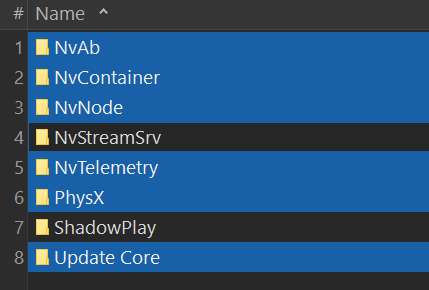
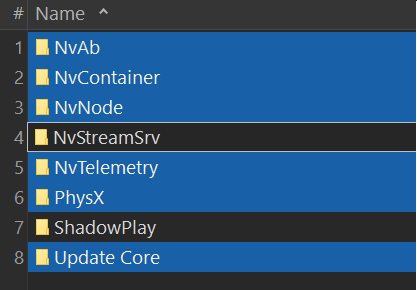
I now think this may actually be a better solution, just to unbind the focus box color from the selection color and let it to be set manually. You won't need this "extra-highlighting" for selected focused items plus it will work better in this case: try and see which one is focused in between of selected items
- box0.png (9.83 KiB) Viewed 1335 times
- box1.png (13.31 KiB) Viewed 1335 times
And it won't interfere with Tools | Customize List | Highlight Focused Items
Re: Highlight Selected Current Item
Posted: 08 Aug 2022 14:37
by admin
Or use Dotted in Configuration | Colors and Styles | Highlights & Dark Mode | Focus rectangle.
Re: Highlight Selected Current Item
Posted: 08 Aug 2022 14:57
by Evolve
You are right! It solves this "selected focused item" situation completely.

It should've been the answer to my first post in this topic!

PS: But I'm glad It wasn't. I just compared more carefully just the rectangle vs the extra highlighting for selected focused items (Windows Explorer style) and I like the second one more. I still think it deserves the tweak and should be unbound of Tools | Customize List | Highlight Focused Items.
Re: Highlight Selected Current Item
Posted: 08 Aug 2022 16:41
by Evolve
admin wrote: ↑08 Aug 2022 11:29
Code: Select all
highlight focused item (setting)   ListHighlightFocusedSelection (tweak)
        ON                                ON                              highlight unselected and selected focused item
        ON                                OFF                             highlight unselected focused item
        OFF                               ON or OFF                       don't highlight focused item
Here is the right table:
Code: Select all
highlight focused item (setting)   ListHighlightFocusedSelection (tweak)
        ON                                ON                              highlight unselected and selected focused item
        ON                                OFF                             highlight unselected focused item
        OFF                               OFF                            don't highlight focused item
        OFF 				  ON                              highlight selected focused item
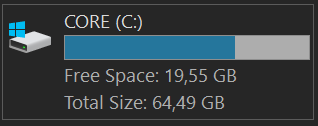
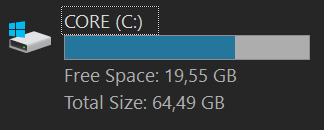
PS: BTW, this dotted rectangle is broken for the drives, it only surrounds the name but not the whole item
- Solid.png (3.82 KiB) Viewed 1310 times
- Dotted.png (3.95 KiB) Viewed 1310 times
PPS: Thank you! I somehow missed this beta and just kept flooding here

Code: Select all
v23.40.0013 - 2022-08-08 12:50
    - List: Undid the change from v23.40.0011. Now tweak ListHighlightFocusedSelection is
      NOT bound anymore to the setting of "Tools | Customize List | Highlight Focused Item".