Page 1 of 1
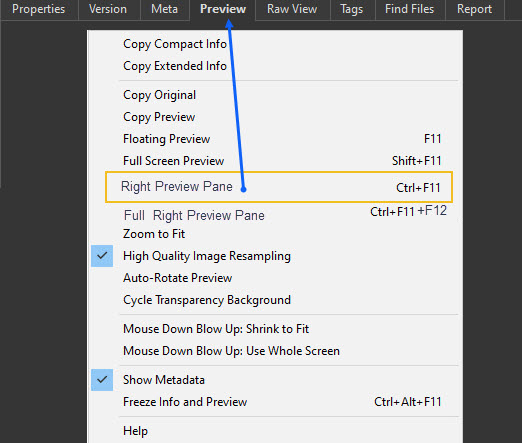
Right preview panel shortcut (menu)
Posted: 24 Apr 2021 03:55
by CompSystems
I use the preview on the right side too much, it is very useful to have this shortcut as a menu, better than remembering key combinations.
right preview pane [CTRL] + [F11]
Re: Right preview panel shortcut (menu)
Posted: 24 Apr 2021 04:00
by jupe
1) It is under the main menu Window | Show Preview Pane
2) It has its own toolbar button you could add (which is visible by default)
3) The shortcut key is customizable to something you could remember
Re: Right preview panel shortcut (menu)
Posted: 24 Apr 2021 04:14
by CompSystems
ok, that combination is in the Windows menu, but it is easier to access in the Preview menu
there is another very useful combination then [CTRL] + [F11] then [F12] puts the whole preview on the right side without the Info panel.