Can't disable/modify this color filter (Could be a bug)
Posted: 15 Dec 2019 13:32
When I first start using XYplorer months ago, I turned off one of the color filters shown below:
It was all fine until resently, suddenly that filter seemed to be enabled again.
But when I checked the config, it was not enabled.
I have tried the following actions:
It seems to also include ageC: d filter.
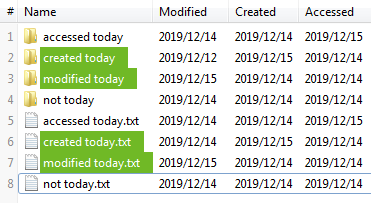
Note: today is 2019/12/15.
Code: Select all
ageM: d //modified todayBut when I checked the config, it was not enabled.
I have tried the following actions:
- I completely disabled the color filters.
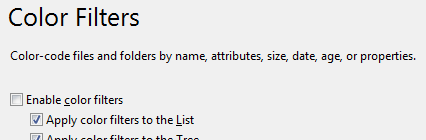
The colored background was sill there. -
I modified the text color and background color of the ageM: d //modified today filter.
The colors weren't changed.
It seems to also include ageC: d filter.
Note: today is 2019/12/15.

