XYplorer not displaying actual icon
Posted: 09 Oct 2019 08:45
XYplorer didn't display actual icon but only show a generic icon of an image viewer.
I'm using Fastone Image Viewer, instead of XYplorer showing the actual icon, it now shown a generic Fastone icon only.
This also happen on the Toolbar icon, all showing a generic Fastone icon.
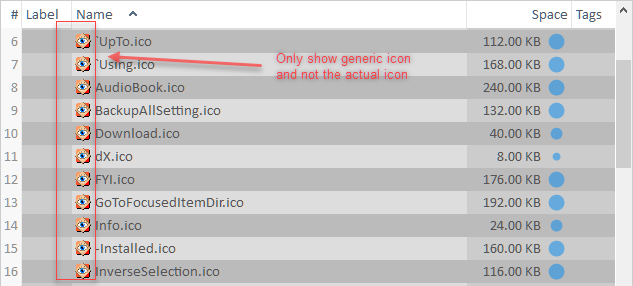
How to fix this, how to make XYplorer to display the actual icon, thanks.
I'm using Fastone Image Viewer, instead of XYplorer showing the actual icon, it now shown a generic Fastone icon only.
This also happen on the Toolbar icon, all showing a generic Fastone icon.
How to fix this, how to make XYplorer to display the actual icon, thanks.